

Linker Garbage Collection for Faster STM32 Builds
September 16, 2026
5 min
Embedded firmware projects often rely on vendor-provided Software Development Kits (SDKs) for hardware abstraction, peripheral drivers, and board support packages. While these SDKs accelerate development, they introduce a significant maintenance challenge: SDK updates frequently break existing builds due to API changes, modified linker scripts, or altered startup code.
This article provides a comprehensive strategy for managing vendor SDK updates in embedded projects, ensuring that updates can be adopted safely without breaking existing firmware builds. The approach focuses on abstraction, automation, and gradual migration techniques that work across different vendor SDKs (STM32Cube, NXP MCUXpresso, Microchip Harmony, etc.).
Vendor SDK updates are not always backward compatible. Common breaking changes include:
These changes cause compilation errors, linker failures, or silent runtime issues that only manifest during testing. For safety-critical or production firmware, unexpected behavior from SDK updates can have severe consequences.
The fundamental issue is tight coupling between application code and vendor SDK internals. When application code directly includes vendor headers, calls HAL functions, or relies on specific SDK directory structures, any SDK update becomes a breaking change.
Consider this typical tight coupling pattern:
// Tight coupling - direct HAL dependencies throughout codebase#include "stm32f4xx_hal.h"#include "stm32f4xx_hal_uart.h"#include "stm32f4xx_hal_dma.h"void uart_init(void) {huart1.Instance = USART1;huart1.Init.BaudRate = 115200;// ... direct HAL configurationif (HAL_UART_Init(&huart1) != HAL_OK) {Error_Handler();}}// Direct peripheral register access in application code#define UART_DR_REG (*(volatile uint32_t*)(USART1_BASE + 0x04))
When the vendor updates the HAL library, changes to stm32f4xx_hal.h structure, function parameters, or register definitions require changes throughout the application codebase.
The solution involves creating abstraction layers that isolate application code from vendor SDK specifics. This approach follows the principle of dependency inversion: application code depends on interfaces, not vendor implementations.
Tight Coupling Abstraction LayerArchitecture Architecture+---------------------------+ +---------------------------+| | | || Application Code | | Application Code || (Direct HAL/Registers) | | (Business Logic) || | | |+-------------+-------------+ +-------------+-------------+| || | (Standard Interface)| v| +-------------+-------------+| | || | Project HAL || | (Hardware Shim) || | || +-------------+-------------+| || (Vendor Specific APIs) | (Vendor Specific APIs)v v+-------------+-------------+ +-------------+-------------+| | | || Vendor SDK | | Vendor SDK || (Headers, HAL, Drivers) | | (Headers, HAL, Drivers) || | | |+-------------+-------------+ +-------------+-------------+| |v v+---------------------------+ +---------------------------+| | | || Hardware / MCU | | Hardware / MCU || | | |+---------------------------+ +---------------------------+
Create a project-specific HAL that wraps vendor SDK functions:
// project_hal.h - Application interface#ifndef PROJECT_HAL_H#define PROJECT_HAL_Htypedef struct {uint32_t baudrate;uint32_t word_length;uint32_t stop_bits;uint32_t parity;uint32_t mode;} uart_config_t;int project_uart_init(uart_config_t* config);int project_uart_send(uint8_t* data, uint16_t size);int project_uart_receive(uint8_t* buffer, uint16_t size, uint32_t timeout);#endif // PROJECT_HAL_H
// project_hal.c - Implementation using vendor SDK#include "project_hal.h"#include "stm32f4xx_hal.h"static UART_HandleTypeDef huart1;int project_uart_init(uart_config_t* config) {huart1.Instance = USART1;huart1.Init.BaudRate = config->baudrate;huart1.Init.WordLength = config->word_length;huart1.Init.StopBits = config->stop_bits;huart1.Init.Parity = config->parity;huart1.Init.Mode = config->mode;if (HAL_UART_Init(&huart1) != HAL_OK) {return -1;}return 0;}// Other implementations...
Benefits of this approach:
project_hal.h, not vendor headersproject_hal.c needs modificationExplicitly control which SDK version your project uses:
# Makefile approachVENDOR_SDK_VERSION := v1.2.0VENDOR_SDK_PATH := ./vendor/sdk/$(VENDOR_SDK_VERSION)# Or using dependency management tools# In platformio.ini:# lib_deps =# ST/STM32Cube@^1.2.0# manufacturer/SpecificLibrary@>=2.0.0,<3.0.0# In CMake:# find_package(VendorSDK 1.2.0 EXACT)
Version pinning ensures reproducible builds and prevents accidental SDK updates from breaking the build. When ready to update, change the version pin and test thoroughly.
Implement CI pipelines that verify SDK compatibility:
# .github/workflows/sdk-verification.ymlname: SDK Verificationon:push:branches: [ main ]schedule:- cron: '0 2 * * 0' # Weekly checkjobs:sdk-compatibility-check:runs-on: ubuntu-lateststrategy:matrix:sdk-version: [v1.2.0, v2.0.0, v2.4.1] # Test multiple versionssteps:- uses: actions/checkout@v3- name: Install SDK ${{ matrix.sdk-version }}run: |wget https://vendor.com/sdk/SDK_${{ matrix.sdk-version }}.zipunzip SDK_${{ matrix.sdk-version }}.zip -d vendor/sdk/${{ matrix.sdk-version }}- name: Build with SDK ${{ matrix.sdk-version }}run: |make cleanmake SDK_PATH=vendor/sdk/${{ matrix.sdk-version }}- name: Run unit testsrun: make test- name: Binary size checkrun: |SIZE=$(size build/firmware.elf | awk 'NR==2 {print $1+$2+$3}')echo "SDK ${{ matrix.sdk-version }} size: $SIZE bytes"# Compare with previous version, fail if significant increase
This approach automatically detects breaking changes when a new SDK version is introduced. The build fails early in the CI pipeline, preventing problematic updates from reaching developers.
For major SDK updates, use feature flags to enable gradual migration:
// config.h#define USE_NEW_SDK 0 // Set to 1 when ready to migrate#if USE_NEW_SDK#include "new_sdk_hal.h"#else#include "old_sdk_hal.h"#endif// In project_hal.c#if USE_NEW_SDK// Use new SDK API#else// Use old SDK API#endif
This allows:
Create scripts that automatically detect API changes between SDK versions:
# sdk_diff_checker.pyimport subprocessimport sysimport osdef extract_api_headers(sdk_path):"""Extract function prototypes from SDK headers"""cmd = f"find {sdk_path} -name '*.h' -exec grep -E '^[[:space:]]*[a-zA-Z_][a-zA-Z0-9_ \\t\\*]+[[:space:]]+[a-zA-Z_][a-zA-Z0-9_]*[[:space:]]*\\([^)]*\\)' {{}} \\;"try:output = subprocess.check_output(cmd, shell=True, text=True)return output.splitlines()except subprocess.CalledProcessError:return []# Compare two SDK versionsold_headers = extract_api_headers("/path/to/old/sdk")new_headers = extract_api_headers("/path/to/new/sdk")added = set(new_headers) - set(old_headers)removed = set(old_headers) - set(new_headers)modified = {} # Would need more sophisticated parsingif added or removed:print("API changes detected!")print(f"Added: {added}")print(f"Removed: {removed}")sys.exit(1) # Fail CI if breaking changes foundelse:print("No API changes detected")sys.exit(0)
Integrate this script into your CI pipeline to get early warning of potential breaking changes.
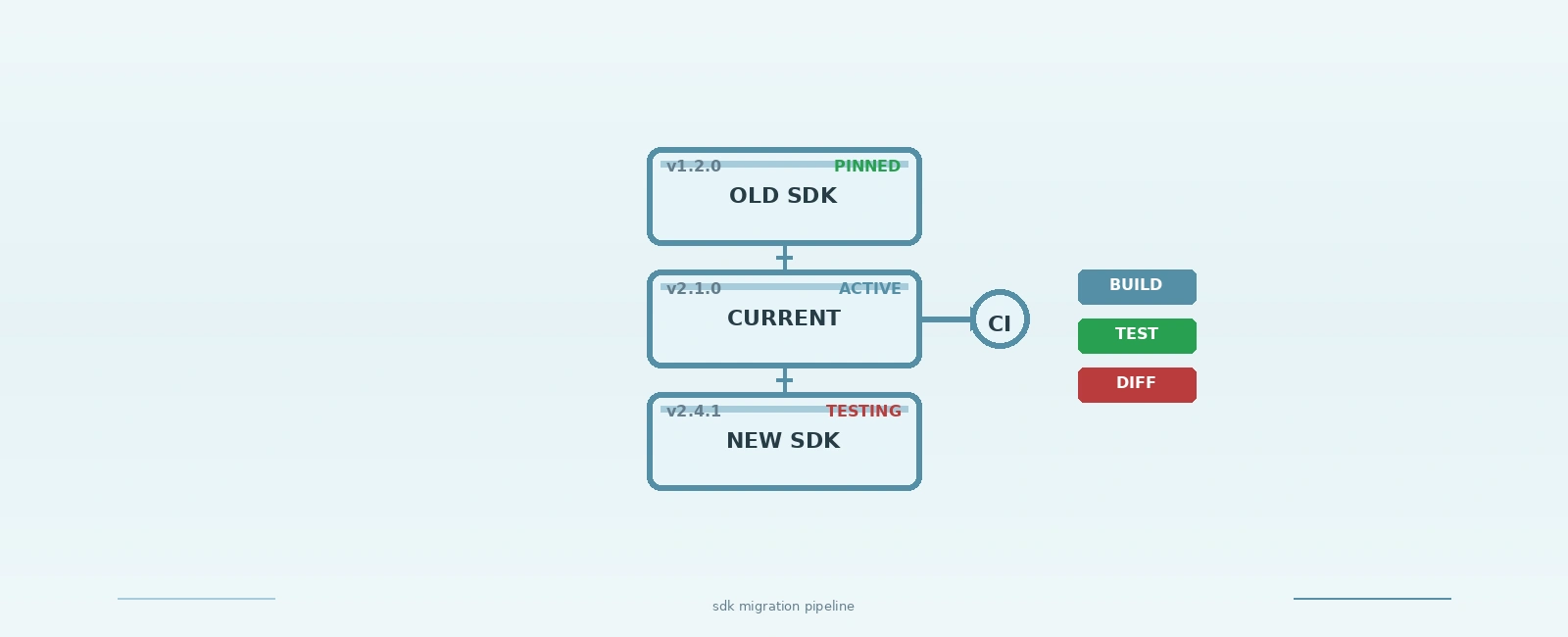
Consider a real-world scenario migrating from STM32Cube HAL v1.2.0 to v2.4.1:
// Following the project_hal pattern described earlier
# MakefileOLD_SDK_PATH := ./vendor/stm32cube/v1.2.0NEW_SDK_PATH := ./vendor/stm32cube/v2.4.1SDK_PATH := $(OLD_SDK_PATH) # Start with old version# When ready to test new SDK:# make SDK_PATH=$(NEW_SDK_PATH) test-new-sdk
# GitHub Actions snippetjobs:sdk-migration-test:strategy:matrix:sdk: [old, new]steps:- name: Set SDK pathrun: echo "SDK_PATH=${{ matrix.sdk == 'old' && './vendor/stm32cube/v1.2.0' || './vendor/stm32cube/v2.4.1' }}" >> $GITHUB_ENV- name: Build firmwarerun: make- name: Run hardware validationrun: ./run_validation_tests.sh
USE_NEW_SDK=1)USE_NEW_SDK=0 (still using old SDK)USE_NEW_SDK=1 for all-Werror (treat warnings as errors)Quick Links
Legal Stuff