

Managing Vendor SDK Updates Without Breaking Embedded Builds
August 20, 2026
4 min
If you have ever inherited a firmware project where the “latest” code lived on someone’s laptop in a folder called firmware_v3_final_REAL_final2.zip, you already understand why version control matters. Embedded firmware development has unique constraints — hardware dependencies, binary artifacts, long-lived release branches, and engineers who may work on different silicon revisions simultaneously. These realities make version control both more challenging and more critical than in pure software projects.
Git is the de facto standard for version control, but using Git effectively for embedded firmware requires deliberate workflow choices. This post covers the practices that separate teams who ship reliably from teams who spend Friday nights hunting regressions introduced by an unnamed commit from three weeks ago.
Embedded firmware sits at the intersection of hardware and software. A bug in a motor controller or a misconfigured radio register can brick physical devices in the field. Unlike a web application, you cannot simply redeploy a hotfix over the air in every case — many devices have no connectivity, or a failed update can render them unrecoverable.
Version control gives your team three superpowers:
Without these, you are flying blind. Let us look at how to set up a workflow that actually works for embedded teams.
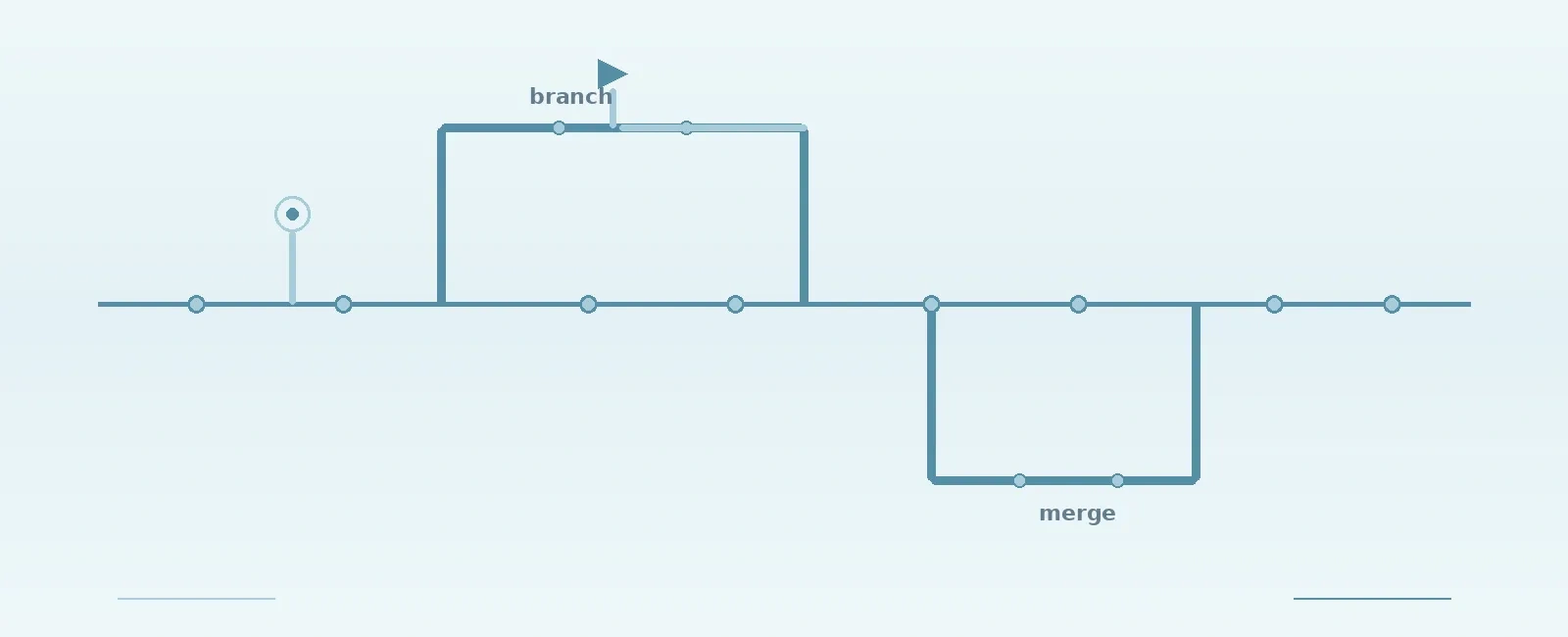
A good branching strategy balances isolation (letting engineers work independently) with integration (merging work together frequently). For most embedded firmware teams, a simplified version of GitFlow works well:
main (production releases)|develop (integration branch)|feature/implement-ble-bondingfeature/add-ota-supportbugfix/uart-race-condition|release/v2.4.0 (stabilization before release)
main is always shippable. Code on main has passed testing and is production-ready. Never commit directly to main.develop is your integration point. Feature branches merge here first. Run continuous integration (CI) on every merge to develop.develop is ready for release, create a release/vX.Y.Z branch. Only bug fixes and documentation updates go here. Once stable, merge to main and back to develop.+-----------+| main |+-----------+^| merge & tag (v2.4.0)+-----+-----+| release/ |<----------+| v2.4.0 | |+--+-----+--+ |^ | | | mergebranch release | v | branch | bugfix| merge v bugfix || back +---------------+---+| | bugfix/uart-dma || | bugfix/ble-timeout|| +-------------------+|+-----------+| develop |<----------++-----------+ || ^ | mergebranch feature | | | featurev | |+-----+-------------+ || feature/ota- |---+| support || feature/adc-dma- || driver |+-------------------+
Good commit messages are a gift to your future self and your teammates. In embedded systems, where a single bit flip in a register configuration can cause weeks of debugging, knowing why a change was made is invaluable.
<type>(<scope>): <subject><body><footer>
To remain compatible with automated changelog and release notes generators, it is best to stick to standard Conventional Commit types and use embedded-specific classifications as scopes.
| Type | Use When |
|---|---|
feat | New feature or capability |
fix | Bug fix |
refactor | Code restructuring without behavior change |
test | Adding or updating tests |
build | Build system or CI changes |
docs | Documentation only |
Common Scopes for Embedded Commits:
hw — Hardware-specific changes (pin mapping, schematic fixes)driver — Peripheral driver modifications (SPI, I2C, UART)ble / wifi — Wireless protocol configurationsbsp — Board Support Package changesfeat(ble): add configurable connection intervalAllow runtime configuration of BLE connection intervalto balance power consumption against data throughput.Default remains 50ms for backward compatibility.Closes: #142fix(driver): correct SPI clock divider for STM32H7The SPI1 clock divider was configured for 48MHz sourcebut the actual bus clock on H7 is 64MHz. This causedclock mismatches with the external flash datasheetmaximum of 80MHz.Tested with: Winbond W25Q128 at 80MHz operation.
Closes: #NN or Refs: #NN so readers can trace the full context.hw(revB): reroute I2C to alternate pins.Embedded projects have files that do not play well with standard Git text workflows, or represent a risk to repo size:
.bin, .hex, .elf, .map) — these change on every build and should be git-ignored..a, .lib) — opaque binary files..ioc, .mex) — auto-generated source files that produce large diff noise..uvoptx, .user) — contain absolute local paths and dev-specific settings, causing constant merge conflicts.Git Large File Storage (LFS) replaces large files with lightweight references while storing the actual content on a remote server. This keeps your repository cloneable and fast.
[!WARNING] Do not use version control (even with Git LFS) to store compiler-generated build outputs like locally compiled
.bin,.hex, or.elffiles. These should be excluded via.gitignore. Instead, configure your CI/CD pipeline to compile release builds and upload them to a dedicated artifact registry (e.g., GitHub Releases, JFrog Artifactory, or AWS S3).
Only use Git LFS for large input dependencies or design files that cannot be generated dynamically:
.a, .lib)Tools like STM32CubeMX or NXP’s Config Tools generate initialization code based on graphical configurations.
.ioc or .mex). This is the hardware configuration source code..c, .h) is usually recommended for embedded teams. While it introduces diff noise, running proprietary code-generation tools in a headless Linux CI pipeline is notoriously complex to configure. Committing the generated code guarantees that any developer can clone the repository and build the project immediately without toolchain dependency issues.Code review is your last line of defense before code hits real hardware. In embedded systems, reviewers need to look beyond logic and consider hardware implications.
+------------------+ +------------------+| Developer | | Reviewer || | | || Writes Code & |----->| Reviews for: || Opens Pull Req. | | - Safety & ISRs|+------------------+ | - HW Registers || - Leaks & Time |+--------+---------+|v+--------+---------+ +------------------+| Approved? |----->| CI/CD |+--------+---------+ | || Yes | Runs: |v | - Build |+--------+---------+ | - Unit Tests || Merge to develop| | - Static Check |+------------------+ +--------+---------+|v+--------+---------+| Report Status |+------------------+
Every production firmware release should be tagged in Git. This creates a permanent reference point that allows you to rebuild the exact binary that shipped to customers.
v<major>.<minor>.<patch>
In embedded firmware, Semantic Versioning should account for hardware and protocol compatibility:
# Tag a releasegit tag -a v2.4.0 -m "Release v2.4.0: BLE 5.0 support, OTA improvements"# Push tags to remotegit push origin --tags
A git tag is only useful if you can actually rebuild the same binary or debug it when field errors occur. Document and lock your build environment:
arm-none-eabi-gcc 13.2.rel1)HAL driver 1.27.1)Store this information in a VERSION file or as part of your CI pipeline output. Many teams use containerized build environments (such as Docker) to guarantee identical toolchains across developer machines and CI runners.
[!IMPORTANT] Archive your
.elffiles. Always store the compiled.elf(Executable and Linkable Format) file corresponding to every released tag in a secure, long-term archive. The.elffile contains the debug symbols (DWARF) needed to resolve stack traces and memory addresses (usingaddr2lineor GDB) from crash dumps reported in the field. A.binor.hexfile does not contain symbols and is useless for post-mortem debugging.
On a firmware team, a broken main branch can halt production. Protect it:
main or develop.Most Git hosting platforms (GitHub, GitLab, Bitbucket) support these protections natively. Enable them.
Version control is not just a backup system — it is the backbone of collaborative embedded firmware development. The key practices covered in this post:
main stable and gives engineers isolated feature branches.These practices compound over time. A well-maintained Git history becomes your team’s most valuable debugging tool, your audit trail for regulatory compliance, and your safety net when things go wrong in the field.
Quick Links
Legal Stuff