

Effective Technical Writing for Embedded Engineers
July 31, 2026
4 min
Choosing the right toolchain is one of the most impactful decisions an embedded engineer can make. A well-chosen set of compilers, debuggers, and development environments can dramatically accelerate development, reduce bugs, and make the difference between a smooth project and a frustrating one. Yet the landscape is vast — from vendor-specific IDEs to open-source command-line tools — and picking the right combination for your project, team, and budget requires careful thought.
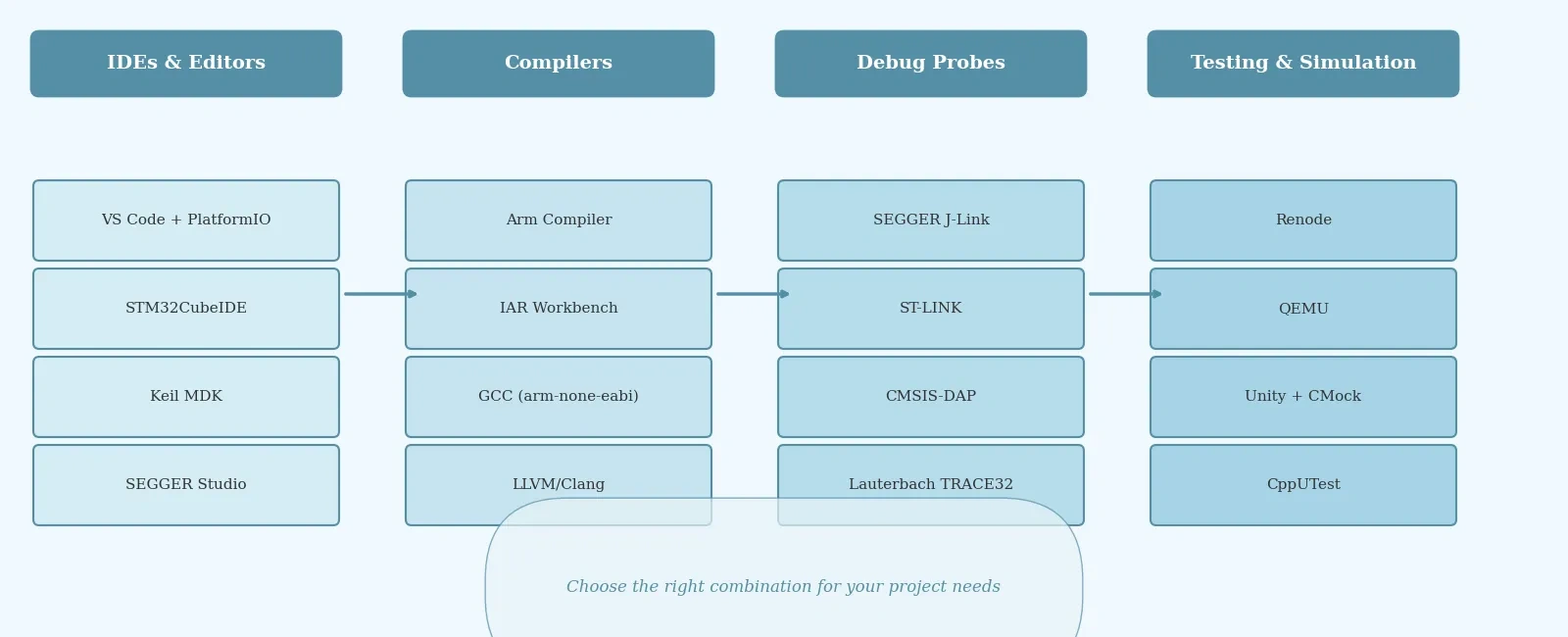
This guide breaks down the most widely recommended tools across four key categories: IDEs and editors, compilers, debuggers and probes, and simulation or testing frameworks. Whether you are just starting out or re-evaluating an existing workflow, these recommendations will help you build a toolchain that scales.
The integrated development environment is where you spend most of your time, so it matters more than many engineers realize.
Visual Studio Code with PlatformIO has become the go-to choice for many embedded developers, especially those working across multiple hardware platforms. PlatformIO provides a unified build and debug interface that supports STM32, ESP32, AVR, RISC-V, and dozens of other architectures. Combined with VS Code’s excellent IntelliSense, Git integration, and AI-assisted coding extensions, it offers a modern development experience that traditional embedded IDEs struggle to match. It is free, open-source, and has a massive community.
STM32CubeIDE is the natural choice if you are working within the STMicroelectronics ecosystem. It bundles Eclipse-based editing with STM32CubeMX for peripheral configuration and code generation, plus integrated RTOS tools and STM32Cube.AI for deploying machine learning models. It is free and well-documented, making it ideal for STM32-based product development.
Keil MDK remains the industry standard for Arm Cortex-M development, particularly in professional and legacy environments. Its tight integration with CMSIS packs, RTX5 RTOS, and device-specific support makes it hard to replace in established workflows. The free version supports up to 32 KB of code, while the full version unlocks unlimited compilation and advanced debug features.
SEGGER Embedded Studio is a lightweight, fast IDE optimized for Cortex-M and RISC-V targets. It ships with an integrated compiler, debugger, and SEGGER’s RTOS (embOS). The free tier is generous for commercial use, and the IDE’s low system overhead makes it pleasant to use on modest hardware.
The compiler you choose affects code size, performance, and sometimes certification eligibility.
Arm Compiler for Embedded (part of Keil MDK and Arm Development Studio) produces highly optimized code for Cortex-M, Cortex-R, and Cortex-A processors. It is the gold standard for performance-critical Arm firmware and is available in a safety-certified variant (FuSa) for ISO 26262 and IEC 61508 projects.
IAR Embedded Workbench is another top-tier compiler known for its aggressive optimizations and excellent MISRA/CERT compliance checking. It is widely used in automotive, medical, and industrial applications where functional safety certification is required. The downside is cost — licenses are expensive, but the investment pays off in regulated industries.
GCC (GNU Compiler Collection) remains the backbone of open-source embedded development. ARM’s GNU toolchain (arm-none-eabi-gcc) is free, well-maintained, and supports the full range of Cortex-M cores. Combined with CMake or Makefiles, GCC powers everything from hobby projects to commercial products. For RISC-V targets, the RISC-V GCC toolchain is equally mature.
LLVM/Clang is gaining traction in embedded development, particularly for teams that value its modular architecture, excellent diagnostics, and static analysis tools. While its code generation for microcontrollers is not yet as mature as GCC or Arm Compiler, it is improving rapidly and is worth watching.
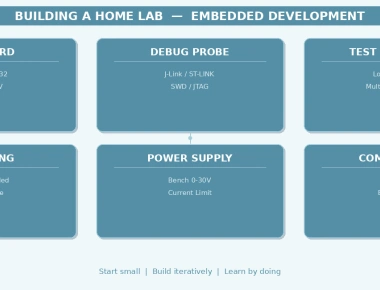
Hardware debug probes are essential for real-world firmware development. The right probe gives you visibility into your system that no amount of printf debugging can match.
SEGGER J-Link is the most popular debug probe in the embedded industry. It supports both JTAG and SWD, offers ultra-fast flash programming, and includes Real-Time Transfer (RTT) for high-speed data logging without UART. The companion Ozone debugger provides live variable inspection, advanced breakpoints, and energy monitoring (with ULINKplus). J-Link works with virtually every IDE and supports hundreds of MCU targets.
ST-LINK is bundled with STM32 Nucleo and Discovery boards and is a solid choice for STM32 development. The ST-LINK/V3 variant offers decent speeds and is supported by STM32CubeIDE, OpenOCD, and most third-party tools. It is not as fast or feature-rich as J-Link, but the price (free with dev boards) is hard to beat.
CMSIS-DAP and DAPLink are open-source debug probe standards backed by Arm. Many development boards ship with a CMSIS-DAP compatible debugger built in. They work well with OpenOCD and pyOCD and are a good choice for teams that prefer open tooling.
Lauterbach TRACE32 is the premium option for complex, safety-critical systems. It offers unparalleled trace capabilities, multicore debugging, and OS-aware analysis. It is the tool of choice in automotive (ASIL-rated) and aerospace development, but the hardware and licensing costs are significant.
Testing firmware without hardware is increasingly important for CI/CD pipelines and early development.
Renode is an open-source simulation framework that lets you emulate entire embedded systems — including multi-core SoCs, peripherals, and network interfaces. It integrates with CI pipelines and supports co-simulation with hardware, making it ideal for automated testing and early firmware validation before silicon is available.
QEMU provides fast CPU emulation for Cortex-M and Cortex-A targets. While it does not model peripherals as accurately as Renode, it is excellent for running quick smoke tests and unit tests in CI environments.
Unity and CMock are lightweight C testing frameworks designed for embedded systems. Unity provides the test runner, while CMock generates mock functions for hardware abstraction layers. Together, they form a powerful unit testing suite that runs on both the target hardware and the host machine.
CppUTest is another popular option, especially for C++ firmware projects. It offers a more object-oriented testing style and integrates well with build systems like CMake and Make.
No single tool is best for everything. The right combination depends on your target hardware, team size, budget, and project requirements. A practical starting point for most embedded engineers is:
Invest time in setting up your toolchain properly at the start of a project. A well-configured build system, automated testing pipeline, and reliable debug setup will save countless hours over the life of the product. The tools you choose shape not just your code, but your entire development experience.
Quick Links
Legal Stuff