

Zephyr Dynamic Memory Allocation Failures: Debugging
September 29, 2026
5 min
Zephyr Bluetooth LE connection timeout issues occur when a BLE connection fails to establish or drops unexpectedly due to the connection supervision timeout expiring. This manifests as the device disconnecting shortly after attempting to connect, often with a timeout error in the logs. Engineers searching for “Zephyr Bluetooth LE not connecting” or “Zephyr BLE connection timeout” encounter this issue when developing battery-operated devices, medical sensors, or IoT nodes where reliable wireless communication is critical.
In a typical scenario, a peripheral device advertising its services fails to maintain a connection with a central device after the initial pairing. The connection may be established successfully, but after a few seconds or minutes, the link is torn down, and the peripheral returns to advertising mode. Logs may show messages like “Connection terminated due to supervision timeout” or “HCI Disconnection event with reason 0x08 (connection timeout)“. This problem is particularly frustrating because it often occurs intermittently, making root cause analysis challenging without systematic debugging.
The impact of connection timeout issues extends beyond mere inconvenience. For medical devices, unreliable BLE connectivity can compromise patient safety by delaying critical data transmission. In industrial IoT applications, frequent disconnections can lead to gaps in sensor data, affecting process control and predictive maintenance algorithms. For consumer electronics, poor connectivity results in negative user experiences and increased return rates. Therefore, understanding and resolving Zephyr Bluetooth LE connection timeout issues is essential for building robust, reliable wireless embedded systems.
The Zephyr Bluetooth LE stack relies on the Link Layer Connection Supervision Timer (connSupervisionTimeout) to detect link loss. If no valid Data Physical Channel PDUs with a correct CRC match are received within the supervision timeout window by either the central or peripheral, the link is terminated.
Under the Bluetooth Core Specification (Vol 6, Part B, Section 4.5.2), the negotiated connection supervision timeout must strictly satisfy:
connSupervisionTimeout > (1 + connSlaveLatency) * connInterval * 2
Where:
connInterval is the connection event interval, ranging from 7.5 ms to 4.0 s in steps of 1.25 ms.connSlaveLatency is the number of consecutive connection events the peripheral can skip, ranging from 0 to 499 (subject to connSlaveLatency < (connSupervisionTimeout / (2 * connInterval)) - 1).connSupervisionTimeout is the supervision timeout, ranging from 100 ms to 32.0 s in steps of 10 ms.If connection parameters fail to satisfy this inequality, the Bluetooth controller rejects the update with HCI error code 0x1E (HCI_ERR_INVALID_LL_PARAM). If the link drops due to packet starvation exceeding the timeout window, the controller issues a disconnection complete event with reason 0x08 (HCI_ERR_CONN_TIMEOUT).
Common root causes include:
Excessive Distance: BLE signals attenuate with distance, leading to packet loss and timeout. The received signal strength indicator (RSSI) drops below the receiver’s sensitivity threshold, causing packets to be missed. Environmental factors such as walls, furniture, and human bodies exacerbate attenuation.
Interference: Wi-Fi, microwave ovens, Bluetooth speakers, cordless phones, and other 2.4 GHz devices cause collisions and packet loss. The BLE adaptive frequency hopping (AFH) mechanism attempts to avoid interfered channels, but in highly congested environments, all channels may be affected, leading to retries and eventual timeout.
Incorrect Connection Parameters: Connection interval too long increases the time between packet exchanges, making the link more susceptible to interruption. Slave latency too high means the slave device skips too many connection events, increasing the chance of missing a packet. Timeout too short for the environment (e.g., due to unexpected interference) causes premature termination.
Stack Configuration Errors: Missing clock source (LFXO not enabled), incorrect TX power (too low for required range), or flawed timing settings in the Zephyr configuration (e.g., incorrect Bluetooth controller configuration) can lead to timing violations that result in missed packets.
Antenna Issues: Poor antenna placement (e.g., inside a metal enclosure), mismatched impedance (not 50 ohms), or grounding problems reduce effective range and increase packet loss. Additionally, antenna detuning due to proximity to other components can shift the resonant frequency away from 2.4 GHz, degrading performance.
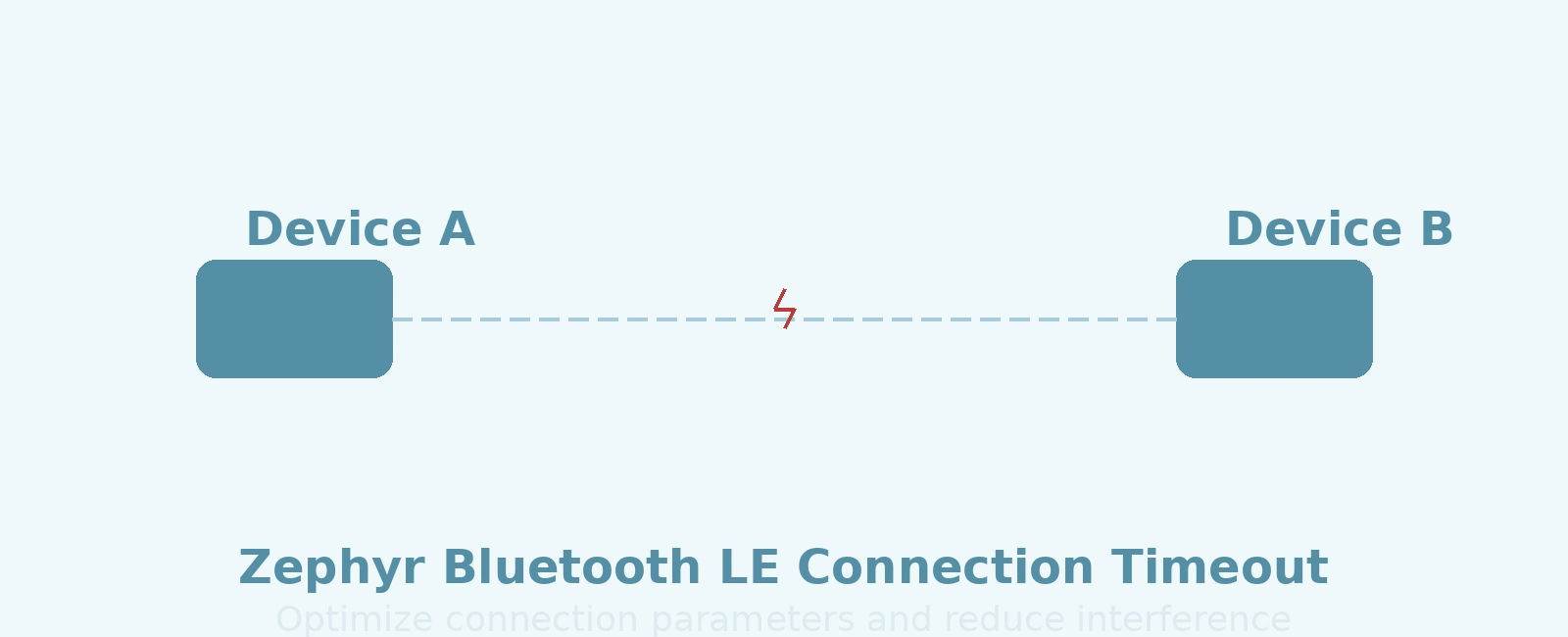
To illustrate the connection timeout scenario, consider the following ASCII art diagram showing two devices attempting to maintain a BLE link:
+----------------+ +----------------+| Device A | | Device B || (Central) | | (Peripheral) |+----------------+ +----------------+| <----------> || Connection || Established || <----------> || Exchanging || Packets |v v+----------------+ +----------------+| Device A | | Device B |+----------------+ +----------------+| || Timeout! | <-- No packets received within| | supervision timeout periodv v+----------------+ +----------------+| Device A | | Device B |+----------------+ +----------------+| Advertising | | Advertising || (or Idle) | | (or Idle) |+----------------+ +----------------+
In this diagram, the devices initially establish a connection and exchange packets. However, due to one of the root causes (e.g., interference causing packet loss), the supervision timer expires without receiving a packet, leading to connection termination. Both devices then return to their idle or advertising states.
Addressing Zephyr Bluetooth LE connection timeout issues requires a systematic approach that examines each potential root cause. The following strategies provide a comprehensive framework for diagnosing and resolving timeout problems.
The connection interval, slave latency, and supervision timeout must be tuned to balance reliability, latency, and power consumption. The key relationship is:
connSupervisionTimeout > (1 + connSlaveLatency) * connInterval * 2
To ensure robustness in electrically noisy 2.4 GHz environments, set the supervision timeout with a substantial margin—typically 4 to 8 times the effective interval—rather than skimming the theoretical lower limit.
Practical tuning guidelines:
200 to 400 in 10 ms units) provides ample margin for channel frequency hopping to recover lost packets.Example configuration in prj.conf:
# Peripheral Preferred Connection Parameters (PPCP) in GAP ServiceCONFIG_BT_GAP_PERIPHERAL_PREF_PARAMS=yCONFIG_BT_PERIPHERAL_PREF_MIN_INT=24 # 30 ms (24 * 1.25 ms)CONFIG_BT_PERIPHERAL_PREF_MAX_INT=40 # 50 ms (40 * 1.25 ms)CONFIG_BT_PERIPHERAL_PREF_LATENCY=0 # 0 connection eventsCONFIG_BT_PERIPHERAL_PREF_TIMEOUT=400 # 4000 ms (400 * 10 ms = 4 s)
Minimizing interference and maximizing signal strength are critical for maintaining a stable BLE link.
Interference mitigation:
bt_le_adv_start API with custom advertising parameters.Range enhancement:
CONFIG_BT_CTLR_TX_PWR_PLUS_4=y (or +8 dBm on nRF52840), or issue runtime vendor-specific HCI commands.Antenna characteristics significantly affect BLE performance. Proper design and placement can mitigate many timeout issues.
Placement best practices:
Design considerations:
Incorrect stack configuration can lead to timing issues that manifest as connection timeouts.
Clock source validation:
CONFIG_CLOCK_CONTROL_NRF=yCONFIG_CLOCK_CONTROL_NRF_K32SRC_XTAL=yCONFIG_CLOCK_CONTROL_NRF_ACCURACY=20 # 20 ppm crystal accuracy
CONFIG_CLOCK_CONTROL_NRF_K32SRC_RC=yCONFIG_CLOCK_CONTROL_NRF_CALIBRATION_LF_ALWAYS_ON=y
TX power configuration:
CONFIG_BT_CTLR_TX_PWR_PLUS_4=y (or CONFIG_BT_CTLR_TX_PWR_PLUS_8=y on supported hardware).BT_HCI_OP_VS_WRITE_TX_POWER_LEVEL with payload structure struct bt_hci_cp_vs_write_tx_power_level from <zephyr/bluetooth/hci_vs.h>.Host stack thread and buffer configuration:
bt_rx_thread) requires sufficient stack and buffer capacity to process incoming HCI ACL events before controller buffers overflow.CONFIG_BT_BUF_ACL_RX_COUNT=10 and CONFIG_BT_RX_STACK_SIZE=2048.Example prj.conf snippet:
CONFIG_BT=yCONFIG_BT_PERIPHERAL=yCONFIG_BT_DEVICE_NAME="Zephyr_BLE_Node"# Peripheral Preferred Connection Parameters (PPCP)CONFIG_BT_GAP_PERIPHERAL_PREF_PARAMS=yCONFIG_BT_PERIPHERAL_PREF_MIN_INT=24 # 30 ms (24 * 1.25 ms)CONFIG_BT_PERIPHERAL_PREF_MAX_INT=40 # 50 ms (40 * 1.25 ms)CONFIG_BT_PERIPHERAL_PREF_LATENCY=0CONFIG_BT_PERIPHERAL_PREF_TIMEOUT=400 # 4000 ms (400 * 10 ms = 4 s)# Link Layer Controller & Transmit PowerCONFIG_BT_LL_SW_SPLIT=yCONFIG_BT_CTLR_TX_PWR_PLUS_4=y# LF Clock Source Configuration (External 32.768 kHz Crystal)CONFIG_CLOCK_CONTROL_NRF=yCONFIG_CLOCK_CONTROL_NRF_K32SRC_XTAL=yCONFIG_CLOCK_CONTROL_NRF_ACCURACY=20# HCI Buffers & RX Thread StackCONFIG_BT_RX_STACK_SIZE=2048CONFIG_BT_BUF_ACL_RX_COUNT=10CONFIG_BT_BUF_ACL_TX_COUNT=10
Implement a callback to monitor connection parameter updates and detect risky supervision timeout settings:
#include <zephyr/bluetooth/bluetooth.h>#include <zephyr/bluetooth/conn.h>#include <zephyr/logging/log.h>LOG_MODULE_REGISTER(bt_conn_params, LOG_LEVEL_DBG);static void le_param_updated(struct bt_conn *conn, uint16_t interval,uint16_t latency, uint16_t timeout){/* Connection interval in milliseconds: interval * 1.25 *//* Supervision timeout in milliseconds: timeout * 10 */uint32_t interval_ms = (interval * 5) / 4;uint32_t timeout_ms = timeout * 10;LOG_INF("Connection parameters updated: interval %u ms, latency %u events, timeout %u ms",interval_ms, latency, timeout_ms);/* Warn if supervision timeout violates safety margin against RF burst interference */if (timeout_ms < 1000) {LOG_WRN("Supervision timeout (%u ms) is dangerously low in noisy RF environments",timeout_ms);}}static struct bt_conn_cb conn_callbacks = {.le_param_updated = le_param_updated,};int main(void){int err;err = bt_enable(NULL);if (err) {LOG_ERR("Bluetooth init failed (err %d)", err);return 0;}bt_conn_cb_register(&conn_callbacks);LOG_INF("Bluetooth initialized successfully");return 0;}
To actively request robust connection parameters at runtime when the central initiates suboptimal values:
#include <zephyr/bluetooth/bluetooth.h>#include <zephyr/bluetooth/conn.h>#include <zephyr/logging/log.h>LOG_MODULE_DECLARE(bt_conn_params, LOG_LEVEL_DBG);int request_robust_conn_params(struct bt_conn *conn){/* 30 ms min, 50 ms max interval, 0 latency, 4000 ms supervision timeout */struct bt_le_conn_param robust_params = {.interval_min = 24, /* 24 * 1.25 ms = 30 ms */.interval_max = 40, /* 40 * 1.25 ms = 50 ms */.latency = 0,.timeout = 400, /* 400 * 10 ms = 4000 ms */};int err = bt_conn_le_param_update(conn, &robust_params);if (err) {LOG_ERR("Failed to request connection parameter update (err %d)", err);return err;}LOG_INF("Connection parameter update request submitted to controller");return 0;}
A systematic verification plan ensures that the implemented solutions effectively resolve connection timeout issues.
After implementing changes (e.g., adjusting connection parameters, increasing TX power, improving antenna placement), repeat the baseline characterization and environmental tests to confirm improvement. The connection should remain stable at the previously problematic distance or interference level.
Acceptance criteria:
Zephyr Bluetooth LE connection timeout issues are multifaceted, stemming from environmental factors, configuration errors, and suboptimal connection parameters. By systematically addressing each potential root cause—distance, interference, connection parameters, stack configuration, and antenna design—engineers can restore reliable BLE connectivity.
Key takeaways for effective troubleshooting include:
By following this comprehensive approach, developers can eliminate connection timeout issues and build reliable Zephyr-based Bluetooth LE applications for medical devices, industrial sensors, consumer electronics, and beyond.
Quick Links
Legal Stuff