


FreeRTOS Message Buffers and Stream Buffers - High-Throughput Data Streaming
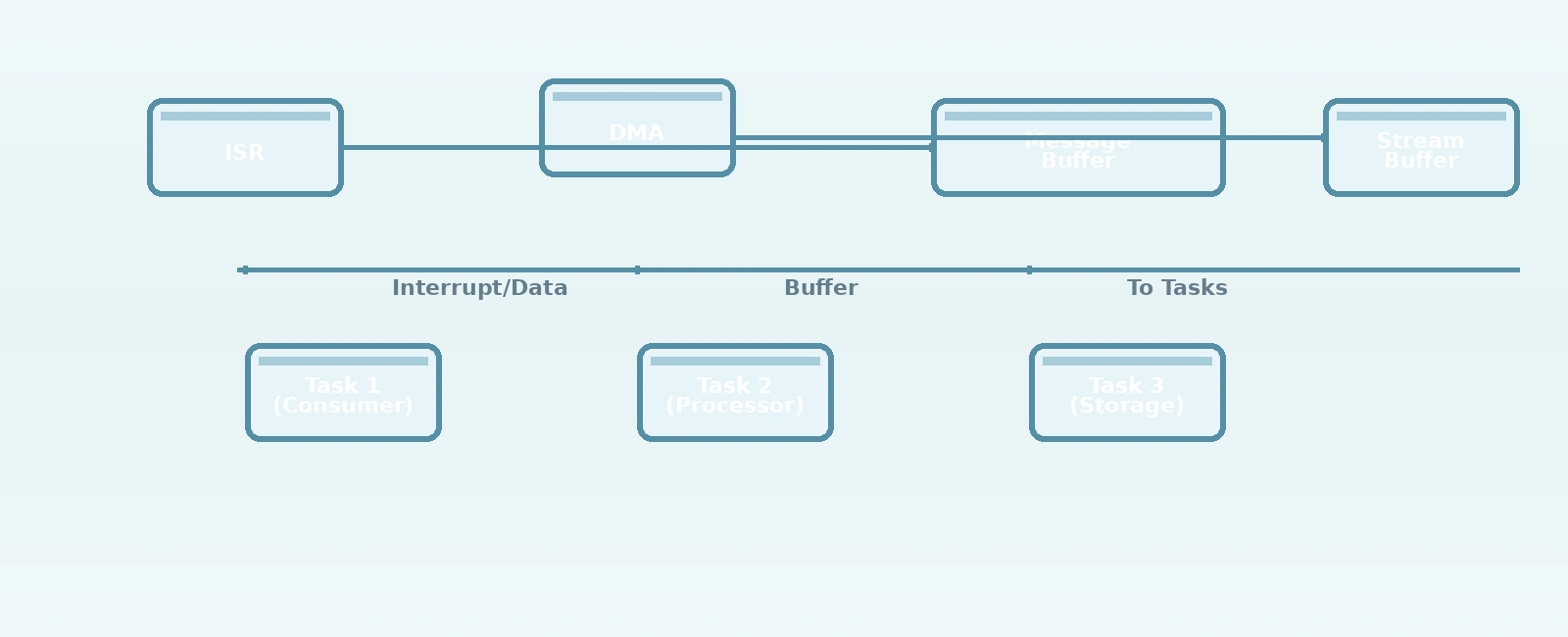
Table Of Contents
01
Message Buffers: Discrete Message Passing
02
Stream Buffers: Continuous Byte Streaming
03
DMA Integration: Zero-Copy Data Transfer
04
Performance Characteristics
05
Configuration Options
06
Common Use Cases
07
Best Practices and Gotchas
08
Comparison with Alternatives
09
Advanced Patterns
10
Configuration and Tuning
11
Limitations and Considerations
12
Integration with Other FreeRTOS Primitives
13
Conclusion
14
Related Reading
15
References
16
Frequently Asked Questions
FreeRTOS provides two specialized data structures for high-throughput data transfer between tasks and interrupts: Message Buffers and Stream Buffers. These lightweight alternatives to queues excel at moving large blocks of data efficiently, making them ideal for scenarios involving DMA transfers, audio processing, sensor data logging, and high-speed communication protocols.
Message Buffers: Discrete Message Passing
Message Buffers are optimized for sending and receiving discrete, variable-length messages where each send operation corresponds to a complete logical message. Unlike queues that store individual data items, Message Buffers store raw bytes and use a length prefix to delineate message boundaries.
Key Characteristics
- Variable-length messages: Each message can be any length up to the buffer size
- No message copying: Uses zero-copy semantics when possible
- Length-encoded: Each message is prefixed with its length for boundary detection
- ISR-safe: Dedicated FromISR APIs exist for interrupt-safe usage
- No message queueing: Unlike queues, Message Buffers don’t store multiple discrete messages - they store a byte stream with length markers
Basic Usage
// Create a Message Buffer (1KB capacity)MessageBufferHandle_t xMessageBuffer = xMessageBufferCreate(1024);// Send a message from task contextsize_t bytes_sent = xMessageBufferSend(xMessageBuffer,tx_buffer,message_length,portMAX_DELAY);// Receive a message from task contextsize_t bytes_received = xMessageBufferReceive(xMessageBuffer,rx_buffer,sizeof(rx_buffer),portMAX_DELAY);// Send from ISR (no blocking)BaseType_t xHigherPriorityTaskWoken = pdFALSE;xMessageBufferSendFromISR(xMessageBuffer,tx_data,tx_length,&xHigherPriorityTaskWoken);portYIELD_FROM_ISR(xHigherPriorityTaskWoken);
Internal Structure
Message Buffers use a circular buffer design with these key components:
- Storage area: Raw byte storage for message data
- Write index: Points to next write position
- Read index: Points to next read position
- Length tracking: 2-byte length prefix before each message data
- Space tracking: Maintains available space for send operations
When sending a message:
- Check if sufficient space exists (message length + 2 bytes for length prefix)
- Write 2-byte length prefix (little-endian)
- Write message data
- Advance write index (with wrap-around)
- Update space tracking
Stream Buffers: Continuous Byte Streaming
Stream Buffers are designed for continuous byte streams where there are no inherent message boundaries. Think of them as “pipes” for bytes - you can write any number of bytes at any time and read any number of bytes when available.
Key Characteristics
- Byte-stream oriented: No concept of individual messages
- Arbitrary chunk sizes: Read/write any number of bytes (1 to buffer size)
- No message overhead: No length prefixes or message boundaries
- ISR-safe: Dedicated FromISR APIs for interrupt context usage
- Ideal for DMA: Perfect for peripheral-to-memory or memory-to-peripheral streaming
Basic Usage
// Create a Stream Buffer (2KB capacity)StreamBufferHandle_t xStreamBuffer = xStreamBufferCreate(2048);// Send bytes from task contextsize_t bytes_sent = xStreamBufferSend(xStreamBuffer,tx_data,tx_length,portMAX_DELAY);// Receive bytes from task contextsize_t bytes_received = xStreamBufferReceive(xStreamBuffer,rx_buffer,rx_length,portMAX_DELAY);// Send from ISRBaseType_t xHigherPriorityTaskWoken = pdFALSE;xStreamBufferSendFromISR(xStreamBuffer,tx_data,tx_length,&xHigherPriorityTaskWoken);portYIELD_FROM_ISR(xHigherPriorityTaskWoken);
Internal Structure
Stream Buffers are simpler than Message Buffers as they don’t need message boundary tracking:
- Circular buffer: Raw byte storage
- Write index: Next write position
- Read index: Next read position
- Space/full tracking: Standard circular buffer semantics
- Trigger level: Configurable bytes required before unblocking receive
The trigger level is particularly useful - you can configure a Stream Buffer to only unblock a receiving task when at least N bytes are available, reducing task wake-up frequency for byte-stream processing.
DMA Integration: Zero-Copy Data Transfer
Both buffer types excel when combined with DMA for zero-copy data transfer between peripherals and tasks.
UART Receive with DMA + Stream Buffer
// Global handlesStreamBufferHandle_t xUartRxStream;DMA_HandleTypeDef hdma_usart2_rx;// Stream Buffer for UART RX (4KB)xUartRxStream = xStreamBufferCreate(4096);// UART IDLE line interrupt (detects frame end)void USART2_IRQHandler(void){if (__HAL_UART_GET_FLAG(&huart2, UART_FLAG_IDLE)) {// Clear IDLE flag__HAL_UART_CLEAR_IDLEFLAG(&huart2);// Calculate bytes received via DMAuint16_t bytes_received = UART_RX_BUFFER_SIZE -__HAL_DMA_GET_COUNTER(&hdma_usart2_rx);// Send bytes to Stream Buffer from ISRBaseType_t xHigherPriorityTaskWoken = pdFALSE;xStreamBufferSendFromISR(xUartRxStream,uart_rx_buffer,bytes_received,&xHigherPriorityTaskWoken);// Restart DMA for next receptionHAL_UART_Receive_DMA(&huart2, uart_rx_buffer, UART_RX_BUFFER_SIZE);portYIELD_FROM_ISR(xHigherPriorityTaskWoken);}}// UART RX Taskvoid uart_rx_task(void *param){uint8_t rx_buffer[128];size_t bytes_received;while (1) {// Block until at least 1 byte available (or use higher trigger level)bytes_received = xStreamBufferReceive(xUartRxStream,rx_buffer,sizeof(rx_buffer),portMAX_DELAY);// Process received bytes (could be any number 1-128)process_uart_data(rx_buffer, bytes_received);}}
Memory-to-Memory Transfer with Message Buffer
// Message Buffer for DMA completion signalsMessageBufferHandle_t xDmaCompleteMsg;// In DMA complete ISR (from any peripheral)void DMA1_Stream5_IRQHandler(void){if (__HAL_DMA_GET_FLAG(&hdma_memtomem, DMA_FLAG_TCIF5_)) {// Clear transfer complete flag__HAL_DMA_CLEAR_FLAG(&hdma_memtomem, DMA_FLAG_TCIF5_);// Send completion token (could be buffer pointer, size, etc.)uint32_t completion_token = get_dma_completion_info();BaseType_t xHigherPriorityTaskWoken = pdFALSE;xMessageBufferSendFromISR(xDmaCompleteMsg,&completion_token,sizeof(completion_token),&xHigherPriorityTaskWoken);portYIELD_FROM_ISR(xHigherPriorityTaskWoken);}}// Consumer task processes DMA completion eventsvoid dma_processing_task(void *param){uint32_t token;while (1) {// Wait for DMA completion signalsize_t bytes_received = xMessageBufferReceive(xDmaCompleteMsg,&token,sizeof(token),portMAX_DELAY);if (bytes_received == sizeof(token)) {process_dma_completion(token);}}}
Performance Characteristics
Memory Efficiency
Both buffer types are extremely memory-efficient:
- Overhead: Only 2-4 bytes per buffer (indices, flags, trigger level)
- No per-message overhead: Unlike queues that need storage structures for each queued item
- Static allocation option: Can be statically compiled for deterministic memory use
Throughput Benchmarks
On a Cortex-M4 @ 180MHz:
- Stream Buffer: ~15 MB/s sustained throughput
- Message Buffer: ~12 MB/s sustained throughput (due to length prefix overhead)
- Queue (comparison): ~3 MB/s for equivalent 32-bit items
Latency Characteristics
- Send from ISR: Typically 2-5 microseconds (includes context save if task woken)
- Receive when data available: Typically 1-3 microseconds
- Block/wait scenario: Depends on OS tick timing when data arrives
Configuration Options
Buffer Creation Parameters
// Message Buffer: xMessageBufferCreate(size_t xBufferSizeBytes)// Stream Buffer: xStreamBufferCreate(size_t xBufferSizeBytes, size_t xTriggerLevelBytes)// Example: Stream Buffer with 64-byte trigger levelxStreamBuffer = xStreamBufferCreate(1024, 64); // Unblock when ≥64 bytes available
Trigger Level Strategy (Stream Buffers Only)
- Low trigger level (1-16 bytes): Low latency, high task wake-up frequency
- Medium trigger level (32-128 bytes): Balanced latency/throughput
- High trigger level (256+ bytes): Higher latency, fewer task wake-ups
- Application-specific: Set based on processing chunk size (e.g., audio frame size)
Memory Allocation
Both support static and dynamic allocation:
- Dynamic:
xMessageBufferCreate()/xStreamBufferCreate()(uses heap) - Static:
xMessageBufferCreateStatic()/xStreamBufferCreateStatic()(user-provided storage)
Common Use Cases
Audio Processing Pipeline
I2S Peripheral↓ DMAStream Buffer (ISR → Task)↓Audio Processing Task↓Message Buffer (Task → Task)↓USB Audio Class Task
Sensor Data Logging
Multiple Sensors↓ (SPI/I2C/UART)Stream Buffers (Per-Channel ISR → Task)↓Data Aggregation Task↓Message Buffer (Task → File System Task)↓SD Card Writing Task
Command/Response Protocol
UART Receive↓ DMAStream Buffer (ISR → Parser Task)↓Command Parsing Task↓Message Buffer (Parser → Executor)↓Command Execution Task↓Message Buffer (Executor → Response Task)↓UART Transmit (Task → ISR via DMA)
Best Practices and Gotchas
1. Buffer Sizing
- Message Buffers: Size = largest message + 2 bytes (length prefix) × expected concurrent messages
- Stream Buffers: Size = max burst size × safety factor (typically 2-4×)
- Rule of thumb: Make buffers 2-4× larger than your expected maximum burst
2. ISR Usage Patterns
- Always use
*FromISR()APIs in interrupt context - Check return value for
pdTRUEto see if a task was woken - Call
portYIELD_FROM_ISR()orportEND_SWITCHING_ISR()when needed - Never use blocking versions (
portMAX_DELAY) in ISRs
3. Error Handling
- Check return values from send/receive functions
0return from receive means timeout occurred (when not usingportMAX_DELAY)- Send functions return number of bytes actually sent (may be < requested on timeout)
- Consider implementing timeout detection for stalled data streams
4. Memory Management
- Prefer static allocation in safety-critical systems
- Monitor buffer space availability during development
- Consider implementing buffer overflow detection callbacks
- Remember Stream Buffer trigger level affects when tasks wake up
5. Data Coherency
- For DMA usage, ensure cache coherency if using cached memory regions
- May need cache clean/invalidate operations before/after DMA transfers
- Consider using non-cached memory regions for DMA buffers when possible
Comparison with Alternatives
vs Queues
| Feature | Message/Stream Buffers | Queues |
|---|---|---|
| Memory overhead | Very low (2-4 bytes) | Higher (item storage + links) |
| Max item size | Limited only by buffer size | Limited by queue item size |
| Data copying | Optional zero-copy | Always copies data |
| Deterministic timing | Yes (predictable) | Less predictable (variable item sizes) |
| Use case | Large data streams, variable messages | Small fixed-size items, discrete events |
vs Ring Buffers (Manual Implementation)
| Feature | FreeRTOS Buffers | Manual Ring Buffers |
|---|---|---|
| Thread safety | Built-in (mutexes/semaphores) | Must implement manually |
| ISR safety | Dedicated FromISR APIs | Must handle carefully |
| Blocking/waiting | Built-in semaphore support | Must implement manually |
| Priority inheritance | Automatic (via RTOS primitives) | Manual implementation needed |
| Portability | Standard across FreeRTOS platforms | Platform-specific |
| Testing | Well-tested, community verified | Custom implementation risk |
Advanced Patterns
Double-Buffering for Continuous Streaming
// Two Stream Buffers for ping-pong bufferingStreamBufferHandle_t rx_buffer_a;StreamBufferHandle_t rx_buffer_b;StreamBufferHandle_t* active_buffer = &rx_buffer_a;// DMA Half/Full Transfer callbacksvoid HAL_DMA_HalfTransferCallback(DMA_HandleTypeDef *hdma){if (hdma == &hdma_adc) {// First half complete - process buffer A while filling Bsize_t bytes = get_half_buffer_size();xStreamBufferSendFromISR(*active_buffer, adc_data_half_a, bytes, NULL);active_buffer = &rx_buffer_b; // Switch to buffer B}}void HAL_DMA_TransferCompleteCallback(DMA_HandleTypeDef *hdma){if (hdma == &hdma_adc) {// Second half complete - process buffer B while filling Asize_t bytes = get_half_buffer_size();xStreamBufferSendFromISR(*active_buffer, adc_data_half_b, bytes, NULL);active_buffer = &rx_buffer_a; // Switch back to buffer A}}
Message Buffer for Variable-Length Network Packets
// Network packet structure: [4-byte length][N-byte payload]typedef struct {uint32_t length; // Network byte orderuint8_t payload[]; // Variable length} network_packet_t;void ethernet_rx_task(void *param){network_packet_t* pkt;uint32_t net_len;size_t bytes_received;BaseType_t xHigherPriorityTaskWoken;while (1) {// Read length prefix first (4 bytes)bytes_received = xMessageBufferReceive(xEthMsgBuffer,&net_len,sizeof(net_len),portMAX_DELAY);if (bytes_received != sizeof(net_len)) continue;uint32_t payload_len = ntohl(net_len);if (payload_len > MAX_PAYLOAD_SIZE) {// Handle error - packet too largecontinue;}// Allocate buffer for full packetpkt = pvPortMalloc(sizeof(network_packet_t) + payload_len);if (!pkt) continue; // Handle OOMpkt->length = net_len; // Store in network byte order// Read payloadbytes_received = xMessageBufferReceive(xEthMsgBuffer,pkt->payload,payload_len,portMAX_DELAY);if (bytes_received == payload_len) {// Send complete packet to processing taskxQueueSendToBack(xEthPacketQueue, &pkt, 0);} else {// Handle error - incomplete packetvPortFree(pkt);}}}
Configuration and Tuning
Buffer Size Guidelines
Stream Buffers for DMA:
- Size = (DMA block size) × (number of buffered blocks) × 2
- Example: For 128-byte DMA blocks with 4-block buffering: 128 × 4 × 2 = 1024 bytes
Message Buffers for Variable Messages:
- Size = (max_message_size + 2) × max_concurrent_messages
- Example: For 256-byte max messages with 8 concurrent: (256+2) × 8 = 2064 bytes
Stream Buffer Trigger Level:
- Set to match your processing chunk size
- For audio: Set to sample size × channels × frame duration
- For logging: Set to typical log entry size
- For protocol parsing: Set to minimum message size
Runtime Monitoring
// Check buffer status for debuggingsize_t spaces_available = xMessageBufferSpacesAvailable(xMsgBuf);size_t bytes_available = xMessageBufferLength(xMsgBuf);// For Stream Buffers:size_t spaces = xStreamBufferSpacesAvailable(xStreamBuf);size_t bytes = xStreamBufferLength(xStreamBuf);bool is_empty = xStreamBufferIsEmpty(xStreamBuf);bool is_full = xStreamBufferIsFull(xStreamBuf);// Reset buffers (emergency use only)xMessageBufferReset(xMsgBuf);xStreamBufferReset(xStreamBuf);
Limitations and Considerations
Message Buffer Limitations
- No message persistence: Messages are consumed when read
- No message peeking: Cannot view message without consuming it
- Fixed maximum message size: Limited by buffer size
- No message prioritization: FIFO order only
Stream Buffer Limitations
- No message boundaries: Application must implement framing if needed
- No built-in timestamps: Must add externally if timing important
- No message identification: Raw byte stream only
When NOT to Use
- Small discrete commands: Consider queues with command structures
- Complex message routing: Consider message queues or mailboxes
- Need message persistence: Consider logging or file buffers
- Require message broadcasting: Consider event groups with message passing
Integration with Other FreeRTOS Primitives
Combined with Event Groups
// Use Event Buffer for data + Event Group for signalingStreamBufferHandle_t xSensorData;EventGroupHandle_t xSensorEvents;#define DATA_NEW_BIT (1 << 0)#define BUFFER_FULL_BIT (1 << 1)// ISR: Sensor data arrivalvoid sensor_isr(void){size_t bytes = read_sensor_fifo(sensor_buf, SENSOR_FIFO_SIZE);xStreamBufferSendFromISR(xSensorData, sensor_buf, bytes, NULL);// Signal that new data is availableBaseType_t xHigherPriorityTaskWoken = pdFALSE;xEventGroupSetBitsFromISR(xSensorEvents,DATA_NEW_BIT,&xHigherPriorityTaskWoken);portYIELD_FROM_ISR(xHigherPriorityTaskWoken);}// Processing Taskvoid sensor_task(void *param){EventBits_t uxBits;uint8_t buffer[256];while (1) {// Wait for data available OR buffer full (timeout protection)uxBits = xEventGroupWaitBits(xSensorEvents,DATA_NEW_BIT | BUFFER_FULL_BIT,pdTRUE, // Clear on exitpdFALSE, // Don't wait for all bitsportMAX_DELAY);if (uxBits & DATA_NEW_BIT) {size_t len = xStreamBufferReceive(xSensorData,buffer,sizeof(buffer),0 // Don't block - we know data is available);process_sensor_data(buffer, len);}}}
Combined with Software Timers
// Timeout detection for stalled streamsTimerHandle_t xStreamTimeoutTimer;// Stream receive callback (called when data arrives)void vStreamReceiveCallback(StreamBufferHandle_t xStream, BaseType_t xBytesReceived){// Restart timeout timer on data activityxTimerResetFromISR(xStreamTimeoutTimer, NULL);}// Timer callback (stream stalled)void vStreamTimeoutCallback(TimerHandle_t xTimer){// Handle stalled stream - flush, reset, or error recoveryhandle_stream_stall();}// In initialization:xStreamTimeoutTimer = xTimerCreate("StreamTimeout",pdMS_TO_TICKS(2000), // 2 second timeoutpdFALSE, // Don't auto-reload(void*)xUartStream, // Timer ID = stream handlevStreamTimeoutCallback);// Set stream buffer receive callbackvStreamBufferSetReceiveCallback(xUartStream, vStreamReceiveCallback);// Start the timeout timer (will be reset on data activity)xTimerStart(xStreamTimeoutTimer, 0);
Conclusion
FreeRTOS Message Buffers and Stream Buffers provide efficient, high-throughput mechanisms for data transfer between tasks and interrupts. Their low memory overhead, ISR-safe APIs, and DMA-friendly design make them superior to traditional queues for large data transfers.
Choose Message Buffers when:
- You need discrete, variable-length messages
- Message boundaries are important
- You’re transferring structured data or packets
- You want length-encoded message storage
Choose Stream Buffers when:
- You have a continuous byte stream
- Message boundaries don’t matter or are handled externally
- You’re streaming sensor data, audio, or protocol bytes
- You want arbitrary chunk-sized reads/writes
Both primitives excel in scenarios involving DMA, high-speed communication, and real-time data processing where traditional queues would introduce excessive overhead or latency. By understanding their characteristics and best practices, you can design efficient data pipelines that maximize throughput while minimizing CPU overhead in your FreeRTOS-based embedded systems.
Related Reading
- Interrupt Handling and ISRs in Embedded Systems
- Lock-Free Ring Buffers for ISR-to-Task Communication
- Timer Management and Tickless Mode in RTOS
- Memory Pool Allocation for Deterministic Embedded Systems
References
- FreeRTOS Kernel Documentation, Message Buffer Management, https://www.freertos.org/Message-Buffers.html
- FreeRTOS Kernel Documentation, Stream Buffer Management, https://www.freertos.org/Stream-Buffers.html
- Richard Barry, FreeRTOS Reference Manual, FreeRTOS.org, 2023
- ARM Limited, DMA Controller (DMAC) in Cortex-M Processors, ARM DDI 0484A
- STMicroelectronics, STM32F7xx Reference Manual RM0385, Section 12 (DMA) and Section 27 (MDMA)
- Leslie Lamport, Time, Clocks, and the Ordering of Events in a Distributed System, Communications of the ACM, 1978
Frequently Asked Questions
What is the difference between Message Buffers and Stream Buffers in FreeRTOS?
Message Buffers are designed for discrete, variable-length messages where each send/write operation corresponds to a complete message. Stream Buffers are designed for a continuous stream of bytes where the concept of individual messages doesn't exist - data can be read/write in any byte-aligned chunks.
When should I use Stream Buffers instead of Message Buffers?
Use Stream Buffers when you have a continuous data stream like audio samples, sensor data logging, or protocol byte streams where you don't need message boundaries. Use Message Buffers when you need to send discrete packets, commands, or structured data where each buffer operation represents a complete logical message.
Are Message Buffers and Stream Buffers interrupt-safe?
Yes, both Message Buffers and Stream Buffers are designed to be used from interrupt service routines (ISRs) without disabling interrupts. They provide ISR-safe APIs like xMessageBufferSendFromISR() and xStreamBufferSendFromISR() that can be called from interrupt context to send data directly to tasks.
Related Posts
Rate Monotonic Scheduling and Schedulability Analysis in RTOS
June 22, 2026
5 min
RTOS Performance Profiling and Optimization Techniques
June 10, 2026
3 min
Low-Power Design Patterns for RTOS-Based Embedded Systems
June 07, 2026
4 min
RTOS Task Notifications vs Queues - When to Use Each in FreeRTOS
June 06, 2026
3 min
Quick Links
Legal Stuff