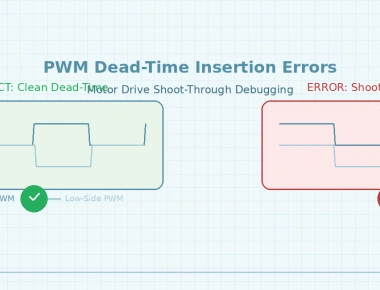
Fixing PWM Dead-Time Errors Causing MOSFET Shoot-Through
October 26, 2026
7 min
When designing battery-powered embedded systems, engineers often face the challenge of preserving critical data across deep sleep cycles. While external EEPROM, FRAM, or battery-backed SPI SRAM are common solutions, they add bill-of-materials (BOM) cost, board footprint, and bus latency. STM32 microcontrollers provide an integrated on-chip alternative: 4KB of battery-backed backup SRAM (BKPSRAM).
In Zephyr RTOS, developers frequently configure devicetree nodes for backup SRAM only to discover that data vanishes the moment the MCU enters Standby mode. This article details the root cause of backup SRAM data loss, examines the hardware power domain architecture, and provides complete, verified Devicetree and C code implementations using Zephyr’s retained memory API.
+-----------------------------+ +-----------------------------+| MAIN DOMAIN | | BACKUP DOMAIN || (Powered by VDD) | | (Powered by VBAT) |+-----------------------------+ +-----------------------------+| * Cortex-M Core & Pipeline | | * Backup SRAM (4KB Array) || * System SRAM (SRAM1, 2) | | * Low-Power Backup Reg(BRE) || * High-Speed Peripherals | | * Real-Time Clock (RTC) || * Flash Memory & Cache | | * Backup Registers (BKP) |+-----------------------------+ +-----------------------------+| ^STANDBY ENTRY |[ VDD Rail Collapses ] BATTERY BACKUP SUPPLY| [ Coin Cell / Supercap ]v |+-----------------------------+ || DATA LOST | || Core unpowered; SRAM erased | v+-----------------------------+ +-----------------------------+| DATA RETAINED || Backup Reg keeps cells alive|+-----------------------------+
Many battery-operated applications require non-volatile persistence for:
When an STM32 MCU enters Standby mode (PM_STATE_STANDBY in Zephyr), the internal main voltage regulator is deactivated, collapsing the V_CORE rail to zero volts. Consequently, standard system SRAM (e.g., SRAM1, SRAM2) loses all electrical charge, destroying in-memory application context.
While developers turn to on-chip backup SRAM to avoid adding external non-volatile memory, a common trap emerges: allocating a buffer in the backup SRAM memory region does not guarantee retention during Standby mode. Upon wake-up, the memory block consistently reads back arbitrary power-on garbage or reset zeros.
The failure to retain backup SRAM data across Standby mode stems from three interdependent architectural requirements in the STM32 power management hardware:
The Low-Power Backup Regulator (BRE):
The backup domain is powered from V_DD when the main power is healthy and automatically switches to V_BAT when V_DD drops below threshold. However, the 4KB backup SRAM array requires an internal dedicated low-power regulator to maintain memory cell retention voltage in Standby and V_BAT modes. This backup regulator is disabled by default after system reset. If software does not set the BRE bit in the Power Control/Status register (PWR_CSR) and wait for the Backup Regulator Ready (BRR) flag, the backup SRAM is unpowered during Standby mode, even if a coin cell battery is connected to V_BAT.
Backup Domain Write Protection (DBP):
Following any reset, the backup domain (which encompasses the Real-Time Clock, backup registers, and backup power control bits) is write-protected to prevent accidental corruption during power transitions. Software must assert the DBP (Disable Backup Protection) bit in PWR_CR before the backup regulator can be activated or backup SRAM configuration registers can be updated.
AHB Bus Clock Gating (BKPSRAMEN):
In families such as the STM32F4 and STM32F7, the backup SRAM is accessed via the AHB1 peripheral bus. If the backup SRAM clock gate bit (RCC_AHB1ENR_BKPSRAMEN) is not enabled, any read or write attempt to the backup SRAM physical address (0x40024000) triggers an immediate Cortex-M bus fault (BusFault / PRECISERR).
Standby Reset Semantics:
Exiting Standby mode in STM32 hardware is functionally equivalent to an external hardware reset (NRST). The core re-executes from Reset_Handler. Any sequential code placed immediately after a sleep entry call is never reached prior to system reboot.
To achieve deterministic backup SRAM retention under Zephyr, implement the solution across three distinct layers:
retained_mem API.Add the retained memory driver framework to your application’s prj.conf:
# Enable Zephyr retained memory driver coreCONFIG_RETAINED_MEM=y# Retained RAM generic driver automatically enables when compatible node is presentCONFIG_RETAINED_MEM_ZEPHYR_RAM=y
CONFIG_RETAINED_MEM compiles the generic driver interface (<zephyr/drivers/retained_mem.h>). When Zephyr identifies a node matching zephyr,retained-ram in Devicetree, CONFIG_RETAINED_MEM_ZEPHYR_RAM initializes the memory-mapped driver instance at boot priority 40.
Create an application overlay file (e.g., app.overlay or <board>.overlay) defining the physical backup SRAM region.
For the STM32F4 / STM32F7 series, the 4KB backup SRAM is located at base address 0x40024000:
/ {soc {sram_backup: sram-backup@40024000 {compatible = "zephyr,retained-ram";reg = <0x40024000 0x1000>; /* 4KB Backup SRAM */status = "okay";};};};
[!NOTE] If targeting the STM32H7 series, the 4KB backup SRAM resides in the D3 power domain at base address
0x38800000. Adjust theregproperty accordingly:reg = <0x38800000 0x1000>;.
Before reading or writing to the retained memory driver, ensure the STM32 backup regulator and AHB clock gating are properly initialized. In Zephyr, this can be handled in application startup code using STM32 Low-Layer (LL) macros or standard CMSIS register accesses:
#include <zephyr/kernel.h>#include <zephyr/device.h>#include <zephyr/drivers/retained_mem.h>#include <zephyr/sys/printk.h>#include <stm32f4xx_ll_pwr.h>#include <stm32f4xx_ll_bus.h>#define BACKUP_SRAM_NODE DT_NODELABEL(sram_backup)/* Application calibration data structure */struct sensor_calibration {float offset;float gain;uint32_t crc;};/*** @brief Initialize STM32 hardware clocks and backup regulator*/static void stm32_backup_sram_hw_init(void){/* 1. Enable PWR peripheral clock on APB1 */LL_APB1_GRP1_EnableClock(LL_APB1_GRP1_PERIPH_PWR);/* 2. Disable backup domain write protection */LL_PWR_EnableBkUpAccess();/* 3. Enable AHB1 bus clock to Backup SRAM to allow CPU memory access */LL_AHB1_GRP1_EnableClock(LL_AHB1_GRP1_PERIPH_BKPSRAM);/* 4. Enable the Low-Power Backup Regulator (BRE) for Standby/VBAT retention */LL_PWR_EnableBkUpRegulator();/* 5. Wait for Backup Regulator to stabilize */while (!LL_PWR_IsActiveFlag_BRR()) {/* Busy-wait until backup regulator ready flag is set */}}/*** @brief Store system state in Backup SRAM using retained_mem API*/int save_calibration_to_backup_sram(const struct sensor_calibration *cal){const struct device *dev = DEVICE_DT_GET(BACKUP_SRAM_NODE);if (!device_is_ready(dev)) {printk("Error: retained memory device not ready\n");return -ENODEV;}/* Write data at offset 0 of backup SRAM */int rc = retained_mem_write(dev, 0, (const uint8_t *)cal, sizeof(*cal));if (rc < 0) {printk("Failed to write retained memory: %d\n", rc);return rc;}return 0;}/*** @brief Restore system state from Backup SRAM*/int load_calibration_from_backup_sram(struct sensor_calibration *cal){const struct device *dev = DEVICE_DT_GET(BACKUP_SRAM_NODE);if (!device_is_ready(dev)) {printk("Error: retained memory device not ready\n");return -ENODEV;}/* Read data from offset 0 of backup SRAM */int rc = retained_mem_read(dev, 0, (uint8_t *)cal, sizeof(*cal));if (rc < 0) {printk("Failed to read retained memory: %d\n", rc);return rc;}return 0;}
Because exiting STM32 Standby mode generates a system reset, testing cannot be accomplished in a single sequential function call. The verification sequence must be structured into two phases:
main(). If waking from Standby, read the retained memory offset and confirm the pattern is intact.#include <zephyr/kernel.h>#include <zephyr/device.h>#include <zephyr/drivers/retained_mem.h>#include <zephyr/pm/pm.h>#include <zephyr/pm/state.h>#include <stm32f4xx_ll_pwr.h>#define BACKUP_SRAM_NODE DT_NODELABEL(sram_backup)#define TEST_MAGIC_PATTERN 0x5A5AA5A5void enter_deep_sleep_standby(void){const struct device *dev = DEVICE_DT_GET(BACKUP_SRAM_NODE);uint32_t magic = TEST_MAGIC_PATTERN;/* Write validation pattern prior to sleep */int rc = retained_mem_write(dev, 0, (const uint8_t *)&magic, sizeof(magic));if (rc < 0) {printk("Pre-sleep write failed!\n");return;}printk("Test pattern 0x%08X written. Entering Standby mode...\n", magic);/* Force Zephyr PM into Standby */const struct pm_state_info standby_state = {.state = PM_STATE_STANDBY,.substate_id = 0,};pm_state_force(0, &standby_state);}int main(void){stm32_backup_sram_hw_init();const struct device *dev = DEVICE_DT_GET(BACKUP_SRAM_NODE);if (!device_is_ready(dev)) {printk("Retained memory device initialization failed.\n");return 0;}/* Check if system woke up from Standby mode */if (LL_PWR_IsActiveFlag_SB()) {printk("System woke from STANDBY mode. Verifying retention...\n");/* Clear Standby flag (SBF) */LL_PWR_ClearFlag_SB();uint32_t readback = 0;int rc = retained_mem_read(dev, 0, (uint8_t *)&readback, sizeof(readback));if (rc == 0 && readback == TEST_MAGIC_PATTERN) {printk("SUCCESS: Backup SRAM retained pattern 0x%08X across Standby!\n", readback);} else {printk("FAILURE: Backup SRAM readback mismatch! Got 0x%08X, expected 0x%08X\n",readback, TEST_MAGIC_PATTERN);}} else {printk("Normal Power-On Reset detected. Initiating retention test cycle.\n");k_sleep(K_SECONDS(2));enter_deep_sleep_standby();}return 0;}
| Parameter | On-Chip Backup SRAM | External SPI FRAM / EEPROM | Internal Flash (Emulated EEPROM) |
|---|---|---|---|
| Capacity | 4 KB | 32 KB – 1 MB | 16 KB – 128 KB |
| Write Latency | Direct bus access (zero wait-states) | Bus serialized (SPI / QSPI) | Milliseconds per sector erase |
| Endurance | Unlimited read/write cycles | 10^14 cycles (FRAM) / 10^6 (EEPROM) | 10^4 erase cycles (wear-leveling needed) |
| Power Overhead | ~1 to 3 µA V_BAT quiescent draw | External sleep current + I/O leakage | Flash pump current spikes during programming |
| Standby Retention | Dependent on V_BAT and BRE flag | Non-volatile (true persistent storage) | Non-volatile |
When selecting backup SRAM for battery-sensitive products:
1 µA to 3 µA of continuous draw to the V_BAT rail. For products targeting 10-year coin cell longevity, budget this continuous draw against self-discharge rates.V_BAT Operating Voltage: Review the STM32 datasheet for the minimum voltage required to sustain backup SRAM retention (typically 1.65 V to 1.8 V). If a coin cell falls below this threshold, retention is compromised before the RTC ceases ticking.V_DD and V_BAT were previously depleted), the backup SRAM contains uninitialized data. Always include a cryptographic checksum (e.g., CRC32) or magic header to detect fresh cold boots.Preserving critical state in STM32 microcontrollers during Zephyr deep sleep eliminates external EEPROM costs without sacrificing instant resume capabilities. The resolution to data loss requires understanding that hardware power gating is distinct from RTOS memory abstractions:
CONFIG_RETAINED_MEM=y and CONFIG_RETAINED_MEM_ZEPHYR_RAM=y in Kconfig.0x40024000 for STM32F4/F7, 0x38800000 for STM32H7) using the zephyr,retained-ram compatible string.PWR_CR_DBP, enable the AHB1 bus clock (BKPSRAMEN), and activate the internal low-power backup regulator (PWR_CSR_BRE), waiting for PWR_CSR_BRR before sleep entry.Quick Links
Legal Stuff