

Zephyr Workqueue API for Deferred Work in Embedded Systems
September 27, 2026
6 min
When a Zephyr devicetree overlay does not take effect, the build almost never warns you. The merge succeeds, the firmware flashes, and the peripheral keeps behaving exactly the way the board port defined it. You re-check pinouts, scope the lines, swap boards, while the merged tree never changed in the first place. A routine miss like this costs one to two hours per incident on a typical project, and it repeats because the failure modes are invisible until someone shows you where to look.
This article dissects the three patterns behind nearly every silent overlay miss: the overlay never enters the merge queue (naming and location problems), the overlay loses a precedence fight (another input applies after it), and the overlay writes to a node that is not the node you think (the orphan node trap). Each pattern ends with a concrete detection method built around one habit: inspect build/zephyr/zephyr.dts, the final merged tree, instead of reasoning about source fragments.
The classic report looks like this. You are working with an nRF52840 DK and need UART1 running at 1000000 baud for an external radio link. You add an overlay to the application directory, wire the pins in code, build, flash, and the pin stays dead. The console shows the usual CMake output, no red anywhere. You clean-build twice. Nothing.
The useful question is not whether Zephyr parsed your file. It did, or the build would have stopped on a syntax error. The useful questions are: was the file part of the merge queue at all, did anything override it after it merged, and did its node references actually match existing nodes? Each failure mode answers “no” to one of those, and each answers it quietly.
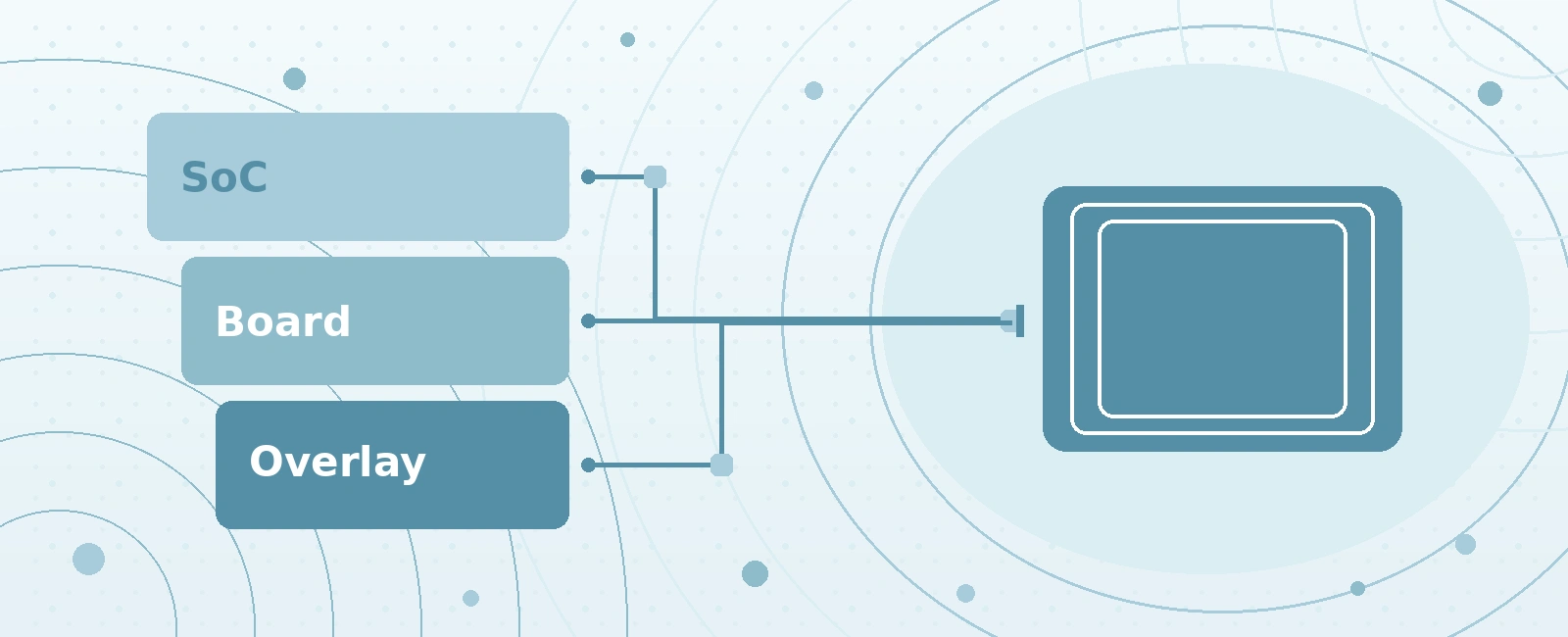
Everything about overlay debugging follows from one fact: the devicetree you compile against is a stack of inputs merged in a fixed order, and later inputs win.
+-----------------------------------------------------------------------------+| DEVICETREE MERGE PIPELINE: EACH STEP OVERRIDES THE ONE ABOVE |+-----------------------------------------------------------------------------+| || [1] SoC dtsi soc/nrf52840.dtsi || | peripheral defaults, mostly disabled || v || [2] Board dts boards/nrf52840dk/nrf52840.dts || | board bring-up, connector mapping || v || [3] Shield + snippet dts applied when --shield or SNIPPET is set || | || v || [4] Application overlays app.overlay, then EXTRA_DTC_OVERLAY_FILE || | applied LAST = highest precedence || v || FINAL TREE build/zephyr/zephyr.dts || inspect THIS, not your source fragments || |+-----------------------------------------------------------------------------+
Two consequences matter. First, if any two inputs set the same property on the same node, the last one applied wins. There is no error and no warning; the earlier value simply disappears. Second, the input list is configurable, which means the queue itself can be wrong before merge semantics even come into play.
The two CMake variables control the tail of that pipeline. When the build system assembles overlays automatically, it picks up app.overlay from the application source directory, then anything listed in EXTRA_DTC_OVERLAY_FILE after it. Setting DTC_OVERLAY_FILE directly replaces the whole default list, which silently drops the automatic app.overlay pickup. That asymmetry is the source of a large share of overlay bugs on its own.
The default contract checks several locations in order: board-specific overlays under boards/, SoC-specific overlays under socs/, and finally app.overlay as the last fallback. In practice most application developers rely on app.overlay in the application configuration directory, next to the top-level CMakeLists.txt. Anything with a non-standard name or path needs explicit wiring.
Three variations of this failure show up constantly:
The robust wiring keeps the default discovery intact and appends through EXTRA_DTC_OVERLAY_FILE, set before find_package(Zephyr) so the build system sees it during configuration:
# Top-level CMakeLists.txtcmake_minimum_required(VERSION 3.20.0)list(APPEND EXTRA_DTC_OVERLAY_FILE${CMAKE_CURRENT_SOURCE_DIR}/boards/nrf52840dk_high_speed.overlay)find_package(Zephyr REQUIRED HINTS $ENV{ZEPHYR_BASE})project(my_app)
Or from the command line, without touching the build files:
west build -b nrf52840dk/nrf52840 -- -DEXTRA_DTC_OVERLAY_FILE=high_speed.overlay
Detection is one line. Read the CMake configure output once: Zephyr prints every devicetree overlay it found, including the path. If your file is not in that list, it never entered the merge queue, and no amount of overlay content editing will help.
Because the pipeline is ordered, an overlay can merge perfectly and still lose. The regular suspects:
nrf52840dk/nrf52840@1.0.1 pull in their own overlay fragments late in the queue.--shield=adafruit_2in_tftgz applies shield overlays after the board tree, and shields routinely rewire pins and enable or disable buses.-DSNIPPET can contribute its own devicetree overlay, and snippets tend to accumulate silently in build scripts and CI files.EXTRA_DTC_OVERLAY_FILE apply left to right, so the rightmost file wins conflicts. Teams that list “least specific to most specific” in the opposite direction get deterministic but surprising results.The failure signature differs from Root Cause 1: here the build log lists your overlay, so the file entered the queue, yet the merged tree disagrees with it. That combination means something later overrode the properties.
The fix is an audit of the tail of the pipeline. Enumerate what applies after your file: board revision, shields, snippets, extra overlays. Remove or reorder until the intended source is last. This takes minutes once you know the pipeline order, and it is why the pipeline diagram belongs in your team wiki rather than in one engineer’s head.
The most deceptive pattern is not about the queue at all. It is about what a node reference means. Consider the overlay everyone writes at least once:
/* WRONG: missing ampersand *// {uart1 {status = "okay";current-speed = <1000000>;};};
Without the ampersand, this is not a reference to the node labeled uart1. It is the definition of a brand-new child node, literally named uart1, at the root of the tree. The build succeeds. The schema validation has nothing to complain about; a root child with a couple of properties is legal devicetree. And the real UART1 node, wherever the SoC dtsi placed it, remains exactly as the board left it.
+-----------------------------------------------------------------------------+| THE ORPHAN NODE TRAP: MISSING AMPERSAND |+-----------------------------------------------------------------------------+| || SoC dtsi defines: Your overlay writes: || uart1: uart@40028000 / { || status = "disabled"; uart1 { || status = "okay"; || }; || }; || || Missing ampersand: this does not match the existing node. || It CREATES a brand-new root child named uart1. || || Merged tree afterwards: || || /soc/uart@40028000 status = "disabled" <- unchanged, still off || /uart1 status = "okay" <- orphan, nobody reads it || || Build result: SUCCESS. No error. No warning. Nothing changed. || |+-----------------------------------------------------------------------------+
With the ampersand, the same content modifies the existing node:
/* CORRECT: &label resolves against nodes from earlier inputs */&uart1 {status = "okay";current-speed = <1000000>;pinctrl-0 = <&uart1_default_alt>;pinctrl-names = "default";};
A related quiet failure: label typos with the ampersand present are loud, not silent. Writing &urg1 against a tree that defines no such label fails the build with a reference error, which is the system working as intended. The silent variants are the ones that produce a valid tree: the missing ampersand above, a status value that is close but not exact, and property names that are legal but meaningless.
Status strings deserve their own warning. The devicetree specification allows any string, and the binding check only emits a warning when the value is not okay or disabled:
&uart1 {status = "ok"; /* warning only; drivers test for "okay" */};
Every driver in-tree compares the node status against the exact string okay. “ok”, “OK”, “enabled”, and “on” all behave as disabled, with one warning line scrolling past during configuration. Treat devicetree binding warnings as defects, not noise; they are the only signal this class of bug produces.
Property name typos follow the same logic. Writing baudrate instead of current-speed adds an inert property to the node; the driver reads its own binding keys and never notices yours. The merged tree will faithfully contain both properties, which makes the diagnosis easy once you are reading the right artifact.
Every failure above reduces to one verification step: read build/zephyr/zephyr.dts and confirm your change survived the merge. Make it a reflex after every overlay edit rather than a forensic tool after a day of debugging.
+-----------------------------------------------------------------------------+| OVERLAY VERIFICATION LOOP |+-----------------------------------------------------------------------------+| || edit overlay (.overlay file) || | || v || west build -b BOARD || | || v || grep the target node in build/zephyr/zephyr.dts || | || +--> properties absent or wrong value? || | | || | v || | fix filename / precedence / ampersand, rebuild || | | || | +--> back to build step || | || v || status = "okay" and values present? || | || v || flash, then confirm at runtime with DT_NODELABEL probes || |+-----------------------------------------------------------------------------+
For the running example:
west build -b nrf52840dk/nrf52840grep -n -A8 "uart@40028000" build/zephyr/zephyr.dts
Expected output when everything worked:
uart@40028000 {compatible = "nordic,nrf-uarte";status = "okay";current-speed = <1000000>;pinctrl-0 = <&uart1_default_alt>;pinctrl-names = "default";...};
If the node still shows status = “disabled”, or shows your speed but not your pin mapping, the merged tree is telling you exactly which layer swallowed the change. That single grep collapses the one-to-two-hour mystery loop into a ten-second check.
For regression protection, encode the expectation in CI so an overlay regression breaks the build instead of the bench:
#!/usr/bin/env python3# Fail CI when the expected overlay effect regresses.import pathlibimport systree = pathlib.Path("build/zephyr/zephyr.dts").read_text()block = tree.split("uart@40028000", 1)[1].split("};", 1)[0]checks = {"uart1 enabled": 'status = "okay"' in block,"speed applied": "current-speed = <1000000>" in block,}for name, ok in checks.items():print(f"{name}: {'OK' if ok else 'FAIL'}")sys.exit(0 if all(checks.values()) else 1)
The same idea pushed one level deeper: turn the overlay’s effect into compile-time facts. The devicetree macros evaluate during preprocessing, so they detect a missed overlay before the firmware exists.
#include <zephyr/device.h>#include <zephyr/devicetree.h>/* These fire at build time if the overlay did not land */BUILD_ASSERT(DT_NODE_HAS_STATUS(DT_NODELABEL(uart1), okay),"uart1 not enabled: overlay did not apply");BUILD_ASSERT(DT_PROP(DT_NODELABEL(uart1), current_speed) == 1000000,"uart1 speed not overridden: check overlay precedence");static const struct device *const console_uart =DEVICE_DT_GET(DT_NODELABEL(uart1));
The orphan node trap cannot survive this pattern. If the overlay created a useless root child, DT_NODELABEL(uart1) either fails to resolve or resolves with the wrong status, and BUILD_ASSERT stops the build with your message. The detection cost moves from hours of on-target guessing to seconds of build time, and it applies to every future developer who touches the repository, not only to whoever remembers the incident.
| Failure Mode | Symptom | Detection | Fix |
|---|---|---|---|
| File not in merge queue | Configure log omits the overlay | Read CMake configure output | Rename to app.overlay or add via EXTRA_DTC_OVERLAY_FILE |
| Lost precedence fight | Overlay listed, merged tree disagrees | Grep zephyr.dts for final values | Reorder overlays; audit shields, snippets, revisions |
| Missing ampersand | New root child appears, real node unchanged | Grep zephyr.dts for the orphan | Use &label references |
| Wrong status string | Binding warning, node stays off | Read configure warnings | Use the exact string okay |
| Property name typo | Inert property in merged tree | Diff zephyr.dts against intent | Match binding property names |
The discipline that covers all five rows is identical: treat build/zephyr/zephyr.dts as the single source of truth, and convert expectations into BUILD_ASSERT probes so future regressions announce themselves at compile time.
Quick Links
Legal Stuff