


FreeRTOS Software Timers for Precision Periodic Tasks in Embedded Systems
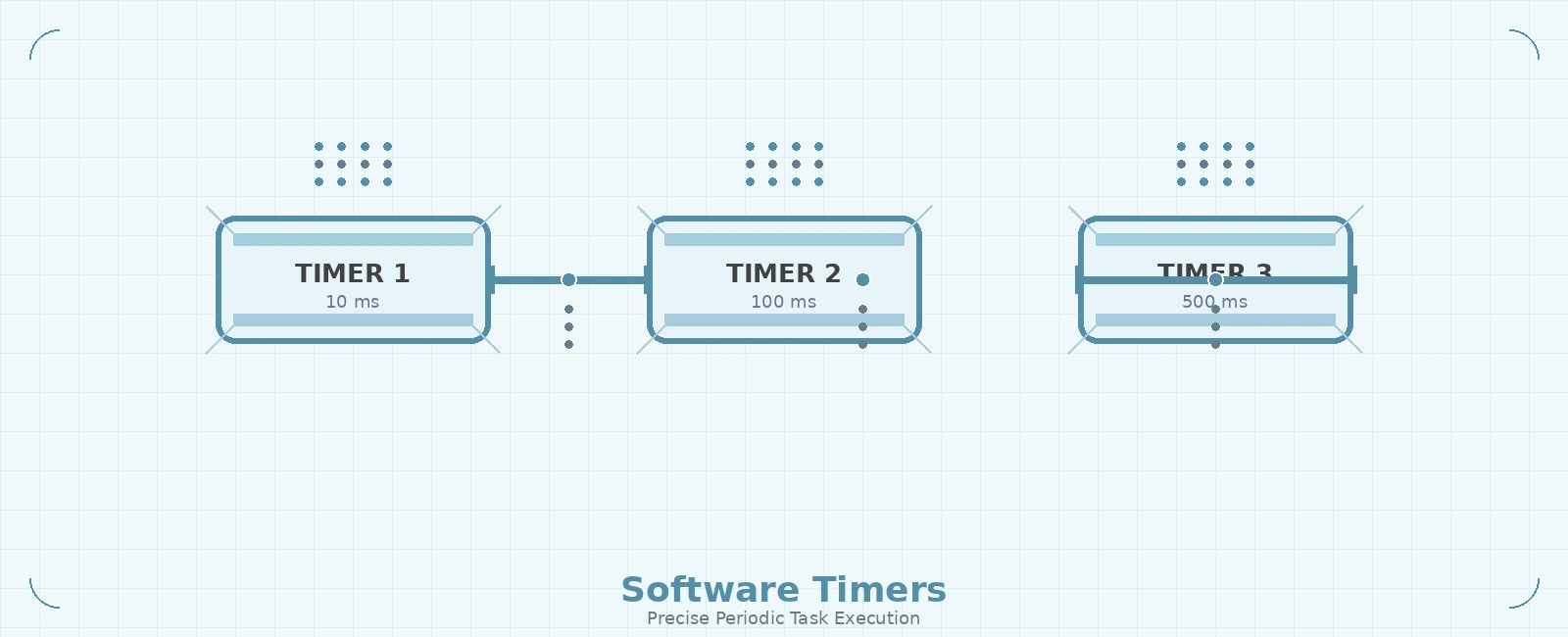
Table Of Contents
01
Understanding FreeRTOS Software Timers
02
Software Timer Architecture
03
Creating and Using Software Timers
04
Timer States and Commands
05
Practical Example: Multi-Rate Telemetry System
06
Software Timers vs Hardware Timers vs Task Delays
07
Best Practices and Limitations
08
Summary
09
Related Reading
10
References
11
Frequently Asked Questions
FreeRTOS software timers provide a powerful mechanism for executing periodic callback functions without blocking tasks or requiring complex hardware timer setup. They are particularly useful for periodic telemetry, LED blinking, watchdog feeding, and other background activities that need consistent timing but don’t require interrupt-level responsiveness.
Understanding FreeRTOS Software Timers
FreeRTOS software timers are created and managed by the RTOS kernel. When a timer expires, its callback function executes in the context of the timer service task (also called the timer daemon task). This design keeps interrupt service routines (ISRs) short while still enabling periodic processing.
Expert Note (Deferred Interrupt Processing): The timer daemon task has a powerful dual-purpose. In addition to handling software timers, it executes functions deferred from ISRs using the xTimerPendFunctionCallFromISR() API. This allows developers to push heavy ISR processing down to the task level without creating a dedicated task for it.
Each software timer has:
- A period (in timer ticks)
- An auto-reload flag (one-shot vs periodic)
- A callback function pointer
- An optional timer ID (typically a pointer to associated data)
- A state (Running or Dormant)
The timer service task runs at a configurable priority and processes commands from the timer command queue. Instead of the tick interrupt checking timers every tick, the timer daemon task simply blocks on its command queue with a timeout equal to the time remaining until the next timer is due to expire. When this block time elapses, the scheduler wakes the daemon task, which then executes the appropriate callback functions and recalculates its next wakeup time.
Software Timer Architecture
+---------------------------+| Application |+---------------------------+| FreeRTOS Kernel / OS || (scheduler, IPC, mem) |+---------------------------+| Timer Service || (timer daemon task) || - Timer command queue || - Timer callback exec |+---------------------------+| Hardware || (tick timer, peripherals)|+---------------------------+
Creating and Using Software Timers
To use software timers, first enable them in FreeRTOSConfig.h:
#define configUSE_TIMERS 1#define configTIMER_TASK_PRIORITY (configMAX_PRIORITIES - 1)#define configTIMER_QUEUE_LENGTH 10#define configTIMER_TASK_STACK_DEPTH configMINIMAL_STACK_SIZE
Then create a timer using xTimerCreate():
TimerHandle_t xTelemetryTimer;const TickType_t xTelemetryPeriod = pdMS_TO_TICKS(1000); // 1 secondvoid vTelemetryTimerCallback(TimerHandle_t xTimer) {send_telemetry_data();/* Optional: restart timer if one-shot */// xTimerStart(xTimer, 0);}void setup_timers(void) {xTelemetryTimer = xTimerCreate("TelemetryTimer", // Just a text name, not used by kernelxTelemetryPeriod, // Timer period in tickspdTRUE, // Auto-reload (pdTRUE) or one-shot (pdFALSE)NULL, // Timer ID (can be used to identify timer)vTelemetryTimerCallback // Callback function);if (xTelemetryTimer != NULL) {xTimerStart(xTelemetryTimer, 0); // Start the timer}}
Timer States and Commands
Software timers can be in one of two states:
- Dormant: The timer exists and can be referenced by its handle, but it is not running. One-shot timers enter this state after they expire.
- Running: The timer has been started and will expire when its period elapses. Auto-reload timers automatically transition back to this state after they expire.
You control timers using these API functions:
xTimerStart()/xTimerStartFromISR(): Start or restart a timerxTimerStop()/xTimerStopFromISR(): Stop an active timerxTimerChangePeriod()/xTimerChangePeriodFromISR(): Modify the period of an active timerxTimerReset()/xTimerResetFromISR(): Re-starts a timer that is already running, or starts a timer that was dormantxTimerDelete(): Delete a timer and free its resourcesxTimerIsTimerActive(): Check if a timer is activepvTimerGetTimerID()/vTimerSetTimerID(): Get or set the timer’s ID, heavily used when multiple timers share a single callback functionxTimerPendFunctionCallFromISR(): Defers execution of a function from an ISR to the timer daemon task
Practical Example: Multi-Rate Telemetry System
Consider a system that needs to send telemetry at different rates:
- High-priority sensor data: every 10ms
- System diagnostics: every 100ms
- Status LED blink: every 500ms
Instead of creating multiple tasks or using complex delay logic, you can use three software timers:
TimerHandle_t xSensorTimer, xDiagTimer, xLedTimer;void vSensorTimerCallback(TimerHandle_t xTimer) {read_and_send_sensor_data();}void vDiagTimerCallback(TimerHandle_t xTimer) {collect_and_send_diagnostics();}void vLedTimerCallback(TimerHandle_t xTimer) {toggle_status_led();}void setup_telemetry_timers(void) {// 10ms period for sensor dataxSensorTimer = xTimerCreate("Sensor", pdMS_TO_TICKS(10), pdTRUE, NULL, vSensorTimerCallback);// 100ms period for diagnosticsxDiagTimer = xTimerCreate("Diag", pdMS_TO_TICKS(100), pdTRUE, NULL, vDiagTimerCallback);// 500ms period for LED blinkxLedTimer = xTimerCreate("LED", pdMS_TO_TICKS(500), pdTRUE, NULL, vLedTimerCallback);// Start all timersif (xSensorTimer != NULL) xTimerStart(xSensorTimer, 0);if (xDiagTimer != NULL) xTimerStart(xDiagTimer, 0);if (xLedTimer != NULL) xTimerStart(xLedTimer, 0);}
[!WARNING] Integer Truncation Hazard with
pdMS_TO_TICKS:pdMS_TO_TICKSperforms integer division. If the requested millisecond period is shorter than the RTOS tick duration (for example, requesting 5ms on a system with a 100Hz tick rate, where a single tick is 10ms),pdMS_TO_TICKSwill truncate to0. Passing a period of0toxTimerCreate()is invalid and will cause it to returnNULL. Always ensure high-frequency periods resolve to at least1tick.
Software Timers vs Hardware Timers vs Task Delays
| Mechanism | RAM Overhead | Timing Precision | Context | Use Case |
|---|---|---|---|---|
| Software Timer | ~Timer control block + queue | Subject to scheduling jitter + tick resolution | Timer service task | Periodic callbacks, telemetry, watchdogs |
| Hardware Timer | Peripheral registers | Hardware-dependent (µs or better) | ISR | PWM, input capture, precise timing |
| Task Delay | Task stack + TCB | Tick resolution | Task context | Simple periodic tasks, delays |
Best Practices and Limitations
Best Practices:
- Keep timer callbacks short - they execute in the timer service task context
- Avoid blocking operations or delays in timer callbacks
- Use timer IDs (
pvTimerGetTimerID()) to associate timers with specific data or objects, especially when using a shared callback function. - Consider timer service task priority - it should be high enough to meet timing requirements
- Monitor timer service task stack usage to prevent overflow
- Static Allocation Trap: If
configSUPPORT_STATIC_ALLOCATIONis enabled, settingconfigUSE_TIMERSto 1 will cause a linker error unless you also implement thevApplicationGetTimerTaskMemory()callback to provide memory for the daemon task.
Limitations:
- Minimum resolution is the RTOS tick period (
configTICK_RATE_HZ). For instance, if the tick rate is 100Hz, the timer resolution is 10ms. - Subject to scheduling jitter. Since the timer callbacks execute in the timer daemon task, higher priority tasks can delay the execution of a timer callback. They do not offer hardware-level microsecond precision.
- Timer callbacks execute in timer service task, not ISR context.
- High-frequency timers (>100Hz) may load the timer service task significantly.
- Only one callback per timer - for multiple actions, use multiple timers or a state machine in the callback.
Summary
FreeRTOS software timers offer an excellent balance of ease-of-use and functionality for periodic embedded tasks. They eliminate the need for complex hardware timer configuration while providing reliable, periodic callback execution in a safe task context. By understanding their configuration, limitations, and best practices, you can effectively use software timers for telemetry, diagnostics, periodic maintenance, and other timing-dependent functions in your embedded systems.
Related Reading
- RTOS Concepts: Tasks, Semaphores, and Mutexes
- FreeRTOS Message Buffers and Stream Buffers
- Interrupt Handling and ISRs in Embedded Systems
- Timer Management and Tickless Mode in RTOS
References
- FreeRTOS Documentation, “Software Timers”, https://www.freertos.org/RTOS-software-timer.html
- FreeRTOS Documentation, “xTimerCreate API”, https://www.freertos.org/xTimerCreate.html
- FreeRTOS Documentation, “Timer Service Task”, https://www.freertos.org/RTOS-software-timer-service-daemon-task.html
- Barry, R., “Mastering the FreeRTOS Real Time Kernel”, FreeRTOS Tutorial Books
- FreeRTOS Documentation, “configUSE_TIMERS Configuration”, https://www.freertos.org/a00110.html#configUSE_TIMERS
Frequently Asked Questions
What are FreeRTOS software timers and how do they differ from hardware timers?
FreeRTOS software timers are RTOS-provided timers that run in a dedicated timer service task, allowing callback functions to execute when the timer expires. Unlike hardware timers which are peripherals generating interrupts, software timers use the RTOS tick count and are limited by the tick resolution but offer easier callback handling in task context.
When should you use software timers instead of hardware timers or task delays?
Use software timers when you need periodic callback execution in task context (not ISR), when you want to avoid blocking tasks with vTaskDelay(), or when you need multiple periodic functions with different periods. Hardware timers are better for sub-tick resolution or ISR-level timing, while task delays suit simple periodic task execution.
What are the key configuration options for FreeRTOS software timers?
Key configurations include configUSE_TIMERS (enable/disable), configTIMER_TASK_PRIORITY (timer service task priority), configTIMER_QUEUE_LENGTH (timer command queue size), and configTIMER_TASK_STACK_DEPTH (timer service task stack size in WORDS, not bytes). These must be set in FreeRTOSConfig.h before using the timer API.
Previous Article
Fixing I2C Clock Stretching Timeouts on STM32Related Posts

Rate Monotonic Scheduling and Schedulability Analysis in RTOS
June 22, 2026
5 min
Watchdog Timers in Embedded Systems
June 17, 2026
3 min
Quick Links
Legal Stuff